
IR Tech: Unified Sales & Service Management with SAP Business One
How UpBuff gave IR Tech — a pioneer in analytical and medical instrumentation in India — a unified web portal and mobile app fully integrated with SAP Business One, digitizing sales, service, and management with real-time data, automation, and end-to-end visibility.
| Client | IR Tech |
|---|---|
| Solution Provider | UpBuff Technologies |
| Industry | Instrumentation Technology · Analytical & Medical Instruments |
| Region | India |
| Core System | SAP Business One |
| Solution Scope | Centralized web portal + mobile application, fully integrated with SAP Business One |
| Modules Delivered | Dashboard, Lead, Opportunity, Visit, Accounts, Ticket, and Service Visit management |
| Departments Covered | Management, Sales, and Service |

Introduction
IR Tech has been a pioneer in introducing advanced instrumentation technology in India, representing globally renowned manufacturers from the USA, Japan, Italy, and Canada. The company markets and services a wide range of analytical and medical instruments, industrial microscopes, and colour measurement solutions — playing a vital role in strengthening R&D and industrial innovation across the country.
As a forward-looking organization, IR Tech has continuously evolved to meet modern business demands. With operations spanning sales and service, the company recognized the limitations of its manual, disconnected data systems, which hindered visibility, coordination, and timely decision-making.
To overcome these challenges and enable seamless business operations, IR Tech collaborated with us to implement a comprehensive digital transformation solution integrated with SAP Business One. The solution included a centralized web portal and mobile application, empowering teams with real-time data synchronization, process automation, and enhanced operational transparency across all departments.
Challenges For Management
- Management had limited access to live operational data from sales, service, and production teams, making performance tracking and decision-making reactive rather than proactive.
- Information was scattered across multiple spreadsheets, emails, and manual records, resulting in inconsistencies and time-consuming data consolidation.
- Generating periodic reports required manual data collection from various departments, leading to delayed business reviews and slower responses to emerging issues.
- Managers lacked a unified dashboard to view consolidated KPIs such as sales performance, service status, customer ratings, and departmental productivity.
- Approvals, escalations, and updates were often communicated through emails or calls, increasing the risk of oversight and miscommunication.
- Without integrated tracking tools, management couldn’t easily analyse trends, monitor targets, or identify underperforming areas across teams.
- Field visits, service activities, and on-site performance were tracked manually, providing little transparency or accountability at the managerial level.
Challenges For Sales
- In the sales function, IR Tech faced several challenges due to its manual and fragmented workflow. Sales engineers and managers primarily relied on Excel sheets and emails to record leads, update opportunities, and track customer interactions, which led to frequent data duplication and inconsistencies.
- There was no centralized system to manage the complete sales cycle — from lead generation to customer conversion — making it difficult to monitor progress or measure team performance. The absence of integration with SAP Business One meant they had to be entered manually, increasing the risk of errors and delays in billing and order fulfilment.
- Approval processes for lead and opportunity were handled through calls or emails, resulting in slower turnaround times and limited traceability. Sales managers also lacked real-time visibility into pipeline status, deal progress, and customer history, which affected forecasting accuracy and decision-making.
- These challenges emphasized the need for a digital, SAP-integrated sales platform that could automate lead-to-order processes, ensure data consistency, and provide real-time insights for proactive business management.
Challenges For Services
- Before the digital transformation, IR Tech faced multiple operational challenges in managing its service operations. Service requests, engineer visits, and customer updates were handled manually through phone calls, emails, or paper forms, making it difficult to track service performance and response timelines.
- There was no centralized system to record, assign, or monitor service tickets. Managers had to manually allocate jobs to field engineers, and progress updates from the visit location were received only after completion, often with delays or missing details. This lack of real-time communication resulted in limited visibility into ongoing service activities and customer issues.
- Engineers did not have a digital platform to accept assigned tasks, record service details, or capture customer acknowledgment on-site. The absence of an approval workflow for visit planning, task acceptance, and completion confirmation further slowed down the process and reduced accountability.
- In addition, service data was not synchronized with SAP Business One, causing discrepancies in service history and reporting accuracy. Overall, these limitations created inefficiencies, delayed response times, and restricted management’s ability to measure service performance effectively.
Our Solution – Dashboard Module
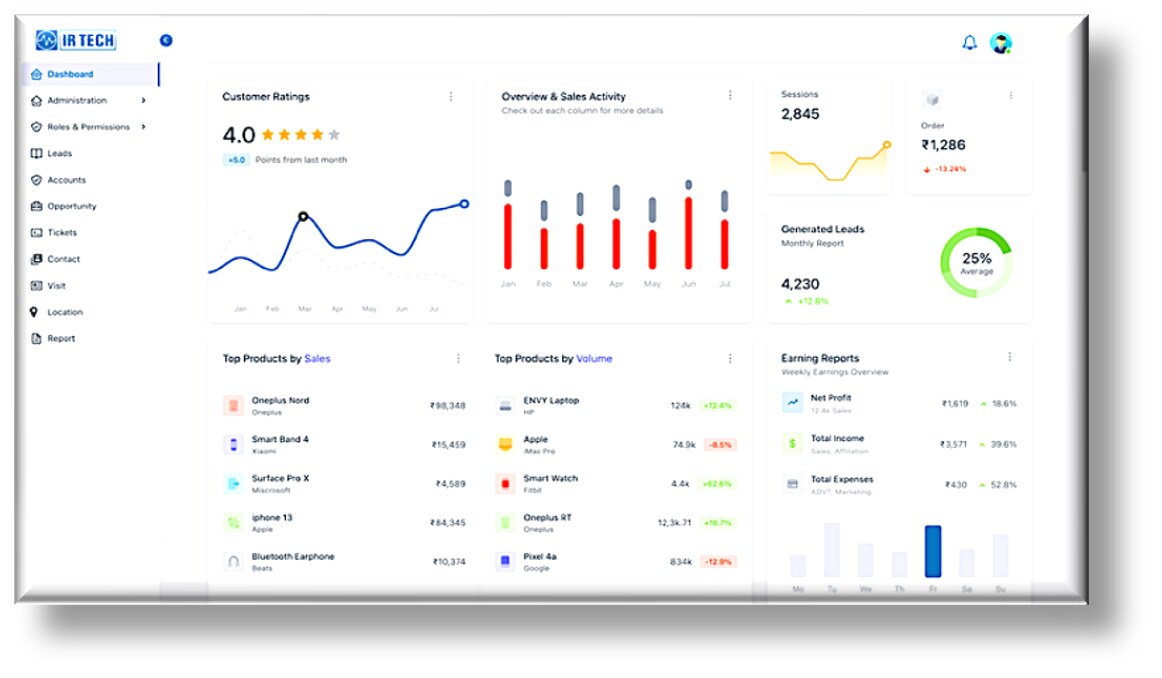
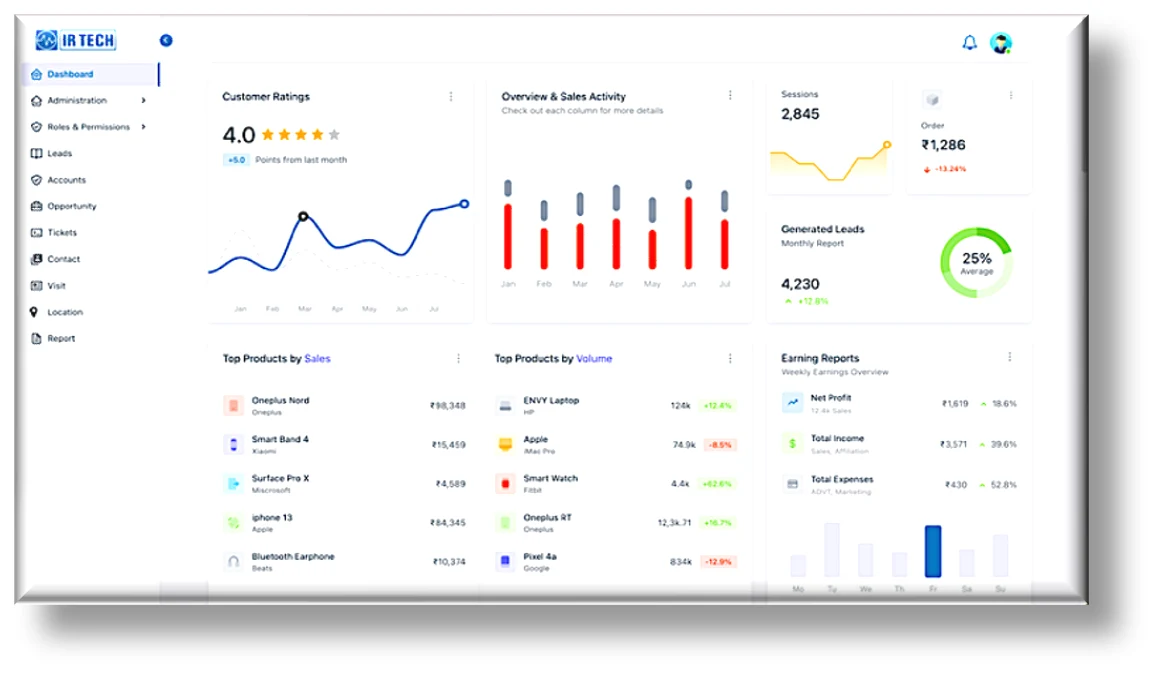
To provide management with a unified and data-driven view of business performance, a comprehensive dashboard was developed and integrated with SAP Business One. The dashboard consolidates real-time information from various modules, offering instant visibility into key operational metrics and sales performance.
Key features include:
- View month-wise sales activity and performance trends across regions or teams.
- Track total leads, opportunities, and their conversion status in real time.
- Monitor customer ratings and feedback, helping improve service quality and client satisfaction.
- Access summary insights on active accounts, sales pipelines, and revenue progress.
- Generate quick visual analytics to support data-driven decision-making and performance reviews.
This interactive dashboard empowers managers and executives with a 360° view of business operations, enabling them to identify growth opportunities, track progress, and respond proactively to market and customer needs.
Our Solution – Lead Management Module (Sales)
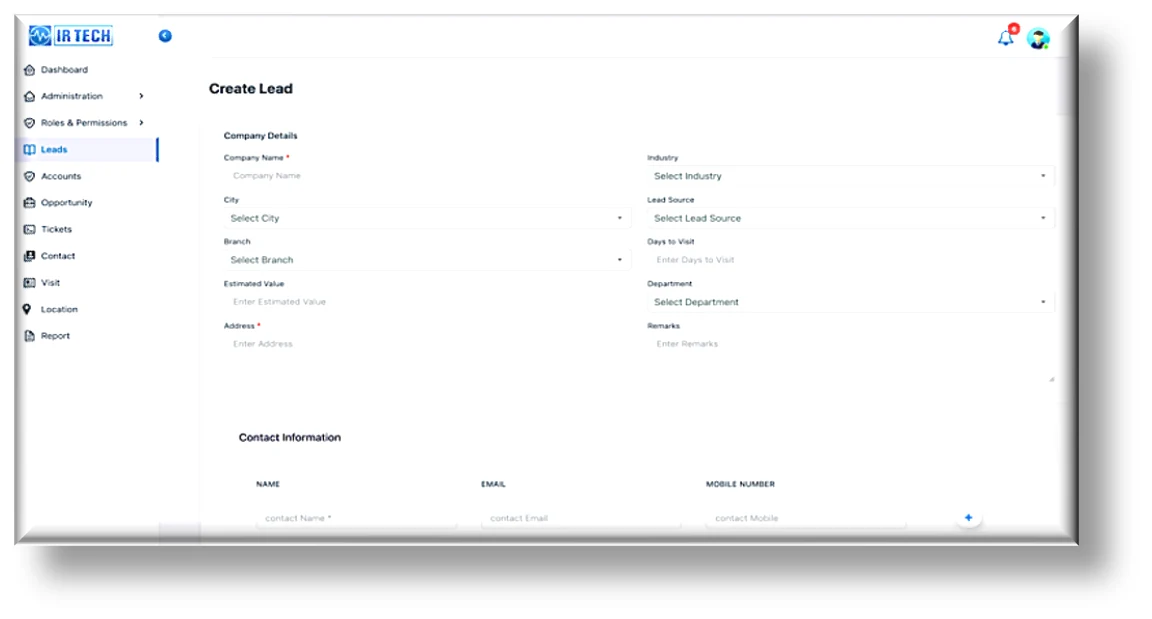
To streamline the sales process and eliminate manual data handling, a Lead Management Module was introduced through the web portal. This module allows the sales team to create, update, and monitor leads efficiently from anywhere, improving visibility and responsiveness across the sales network. It forms part of an ERP-integrated CRM approach that keeps every lead connected to SAP.
Key features include:
- Easy creation: Leads can be created directly from the web portal, enabling sales engineers to capture customer details instantly during client visits or field interactions.
- Address information: Each lead is categorized based on city or region, helping management analyse market performance and allocate resources effectively.
- Department Selection: While creating a lead, users can choose the relevant department — such as HR, Purchase, Quality Control, Sales & Marketing, or Technical Service — to ensure proper classification and follow-up.
- Lead Source Tracking: The system records the source of the lead (e.g., Google, India Mart, Offline, Website), providing insights into marketing effectiveness.
- Dashboard Overview: Managers can monitor total leads, department-wise distribution and performance through a centralized dashboard.
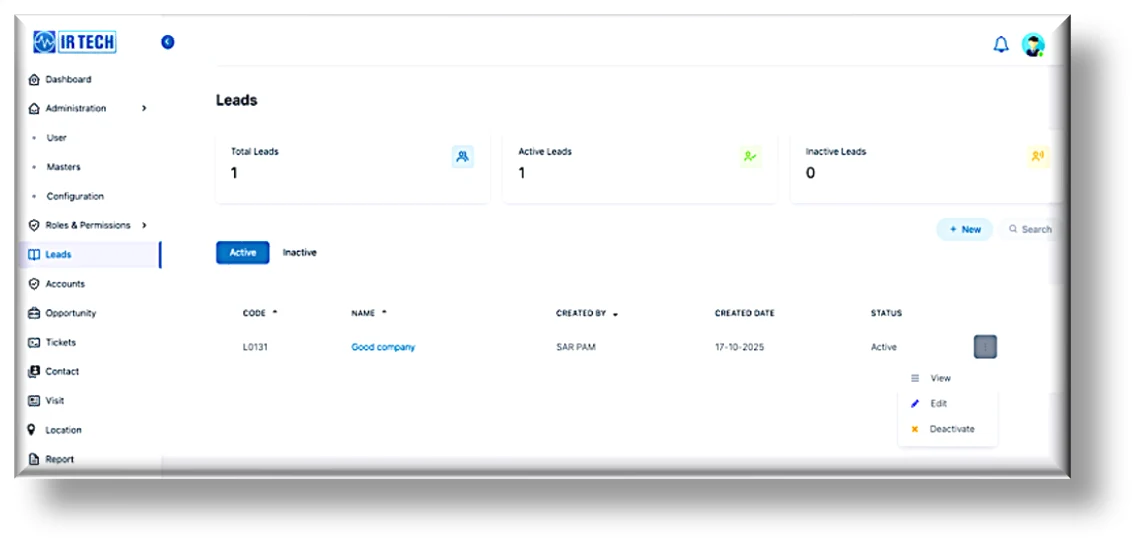
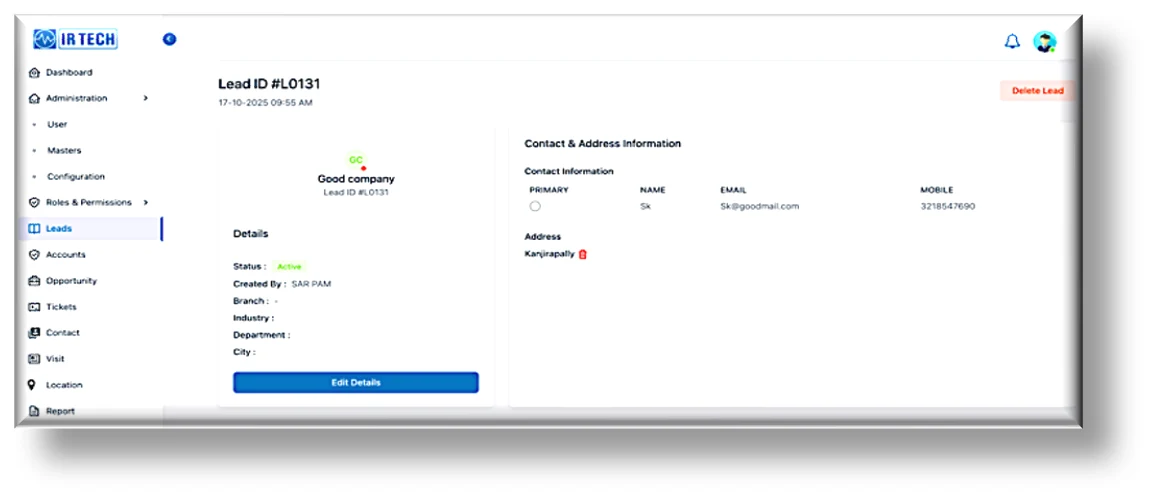
This module has replaced manual Excel-based tracking with a structured, digital workflow, enabling better coordination, faster response times, and improved tracking of sales activities across regions.
Our Solution – Opportunity Management Module (Sales)
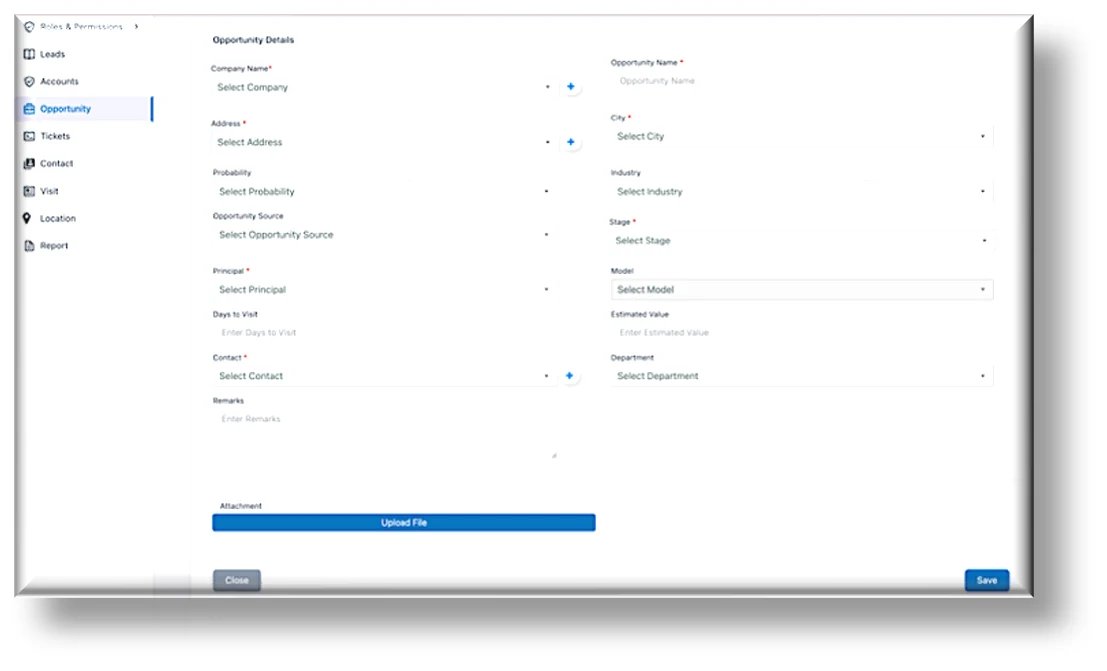
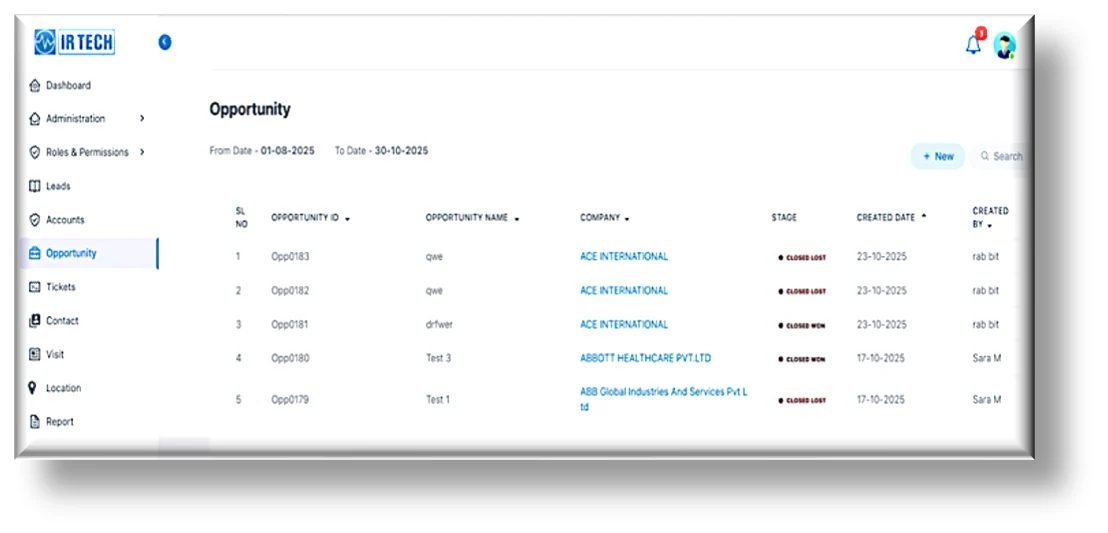
To strengthen sales tracking and improve conversion visibility, a comprehensive Opportunity Management Module was developed for both the web portal and mobile application. This module enables the sales team to manage qualified leads, monitor progress, and take planned actions toward successful deal closures. The Opportunity module is primarily designed for the Sales Department and is accessible to Admins, Sales Managers, and Salespersons.
Key features include:
- Opportunity Creation: Users can create new opportunities directly through the portal or mobile app. They can enter essential details, select predefined values from dropdown menus, and attach supporting documents either from the device’s camera or local storage. Multiple attachments can be added for each opportunity.
- Company and Contact Creation: New companies and their contact details can be created directly within the Opportunity module. Multiple contacts can be linked to a single company.
- Stage Tracking: Each opportunity can be assigned one of the key stages — In Progress, Closed Won, or Closed Lost — helping the sales team track deal movement through the pipeline.
- Source Identification: Opportunities can be categorized by source, such as Google, Inbound Call, Media, Referral, or Walk-in, providing valuable insights into the effectiveness of different lead-generation channels.
- Probability Percentage: Users can define the probability of success (in percentage) for each opportunity, assisting managers in sales forecasting and prioritization.
- Search, Sort, and Filter: The system provides flexible search and sorting options, allowing users to view opportunities by date, alphabetical order, or custom filters, making navigation simple and efficient.
- Detailed View: Users can access complete information for any opportunity, including customer details, documents, and progress updates, from a single view.
- Attendance Tracking: The module includes Punch In / Punch Out functionality to record user attendance as per defined protocol.
- Notifications: A built-in notification panel allows users to stay informed about updates, approvals, or new assignments related to their opportunities.
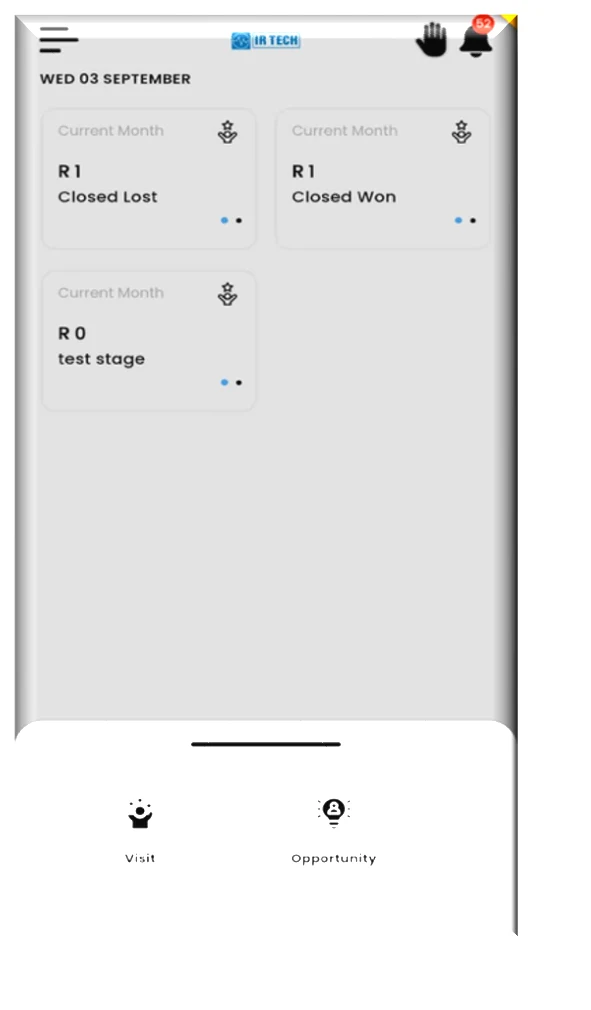
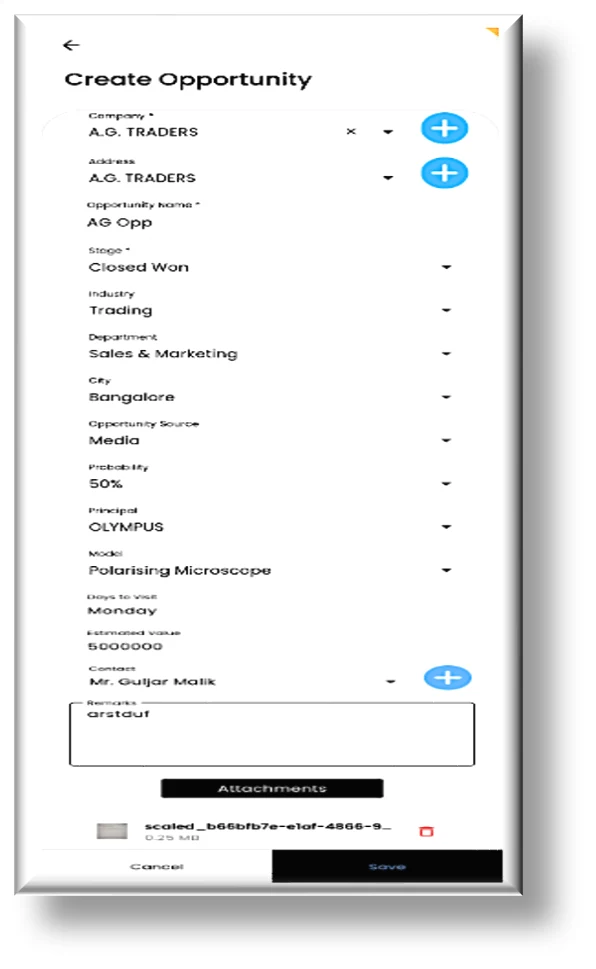
Opportunity management on the mobile app — stage tracking and full opportunity creation in the field.
This solution has enabled IR Tech’s sales team to manage and monitor their entire opportunity pipeline digitally, ensuring transparency, accountability, and improved conversion tracking across all sales activities.
Our Solution – Visit Management Module (Sales)
The Visit Management Module enables the sales team to efficiently record and track customer visits and meetings, ensuring consistent follow-ups and stronger customer relationships. It allows users to log every interaction, capture key discussion points, and plan subsequent actions, giving managers a clear view of field activities.
This module is primarily designed for the Sales Department and accessible to Admins, Sales Managers, and Salespersons.
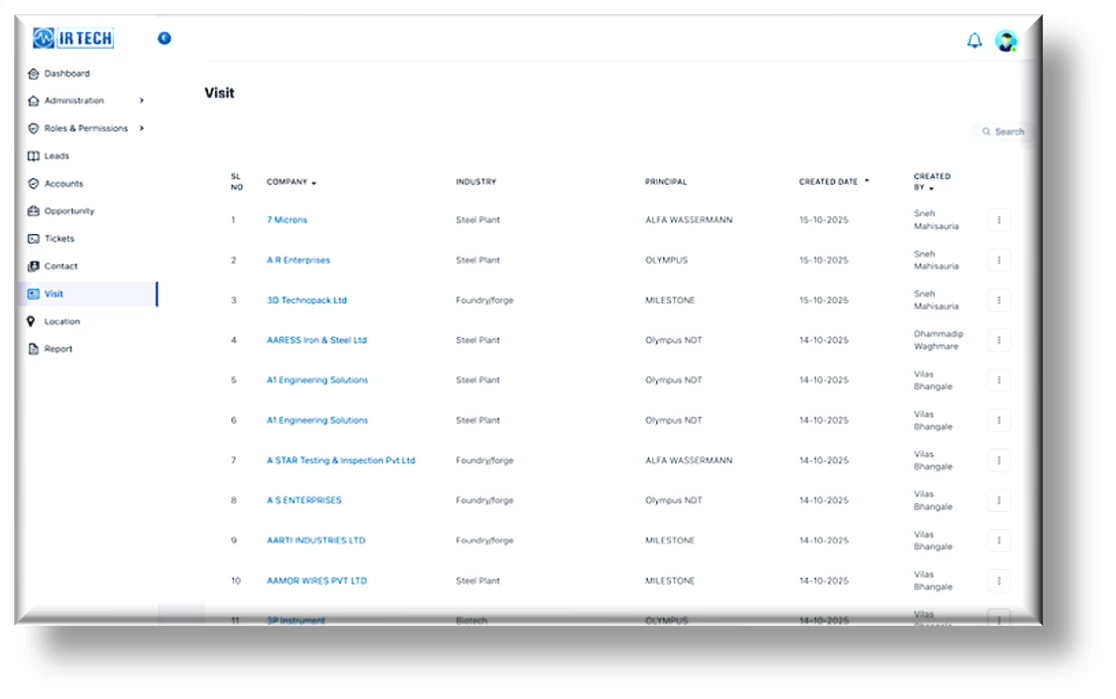
Key features include:
- Visit Creation: Visits can be created directly from the mobile app, allowing field executives to register visit details such as company, industry, principal, and purpose instantly during client interactions.
- Web View & Monitoring: The web application provides a view-only dashboard displaying visit details such as Company, Industry, Principal, Created Date, and Created By, enabling managers to review all activities in one place.
- Smart Search & Filter: Users can quickly locate specific visits through a dedicated search bar and refine results using filter options for company, date, or assigned salesperson.
- Detailed View: Each visit record contains complete visit information accessible via an options menu, including notes, outcomes, and planned follow-ups.
- Follow-Up Planning: Integrated options allow the team to plan and document follow-up actions, ensuring no opportunity or client engagement is missed.
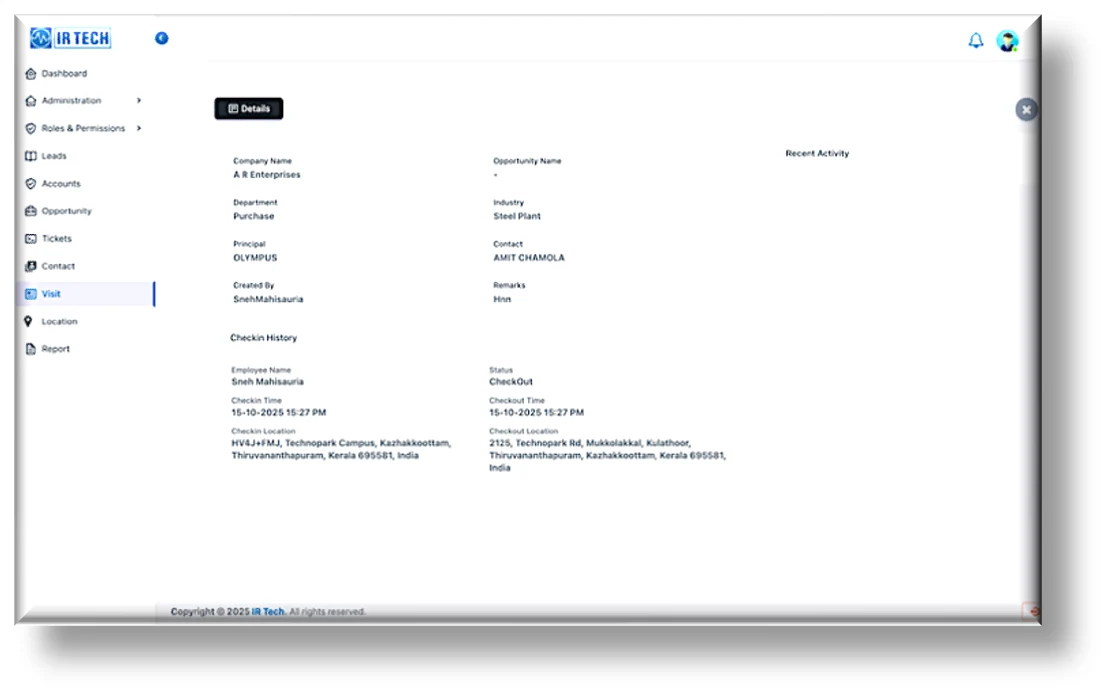
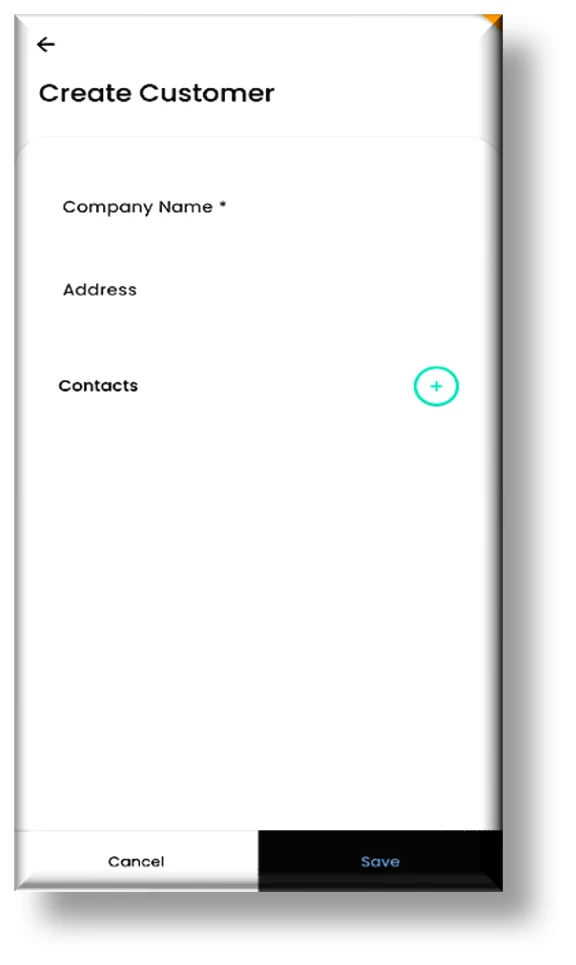
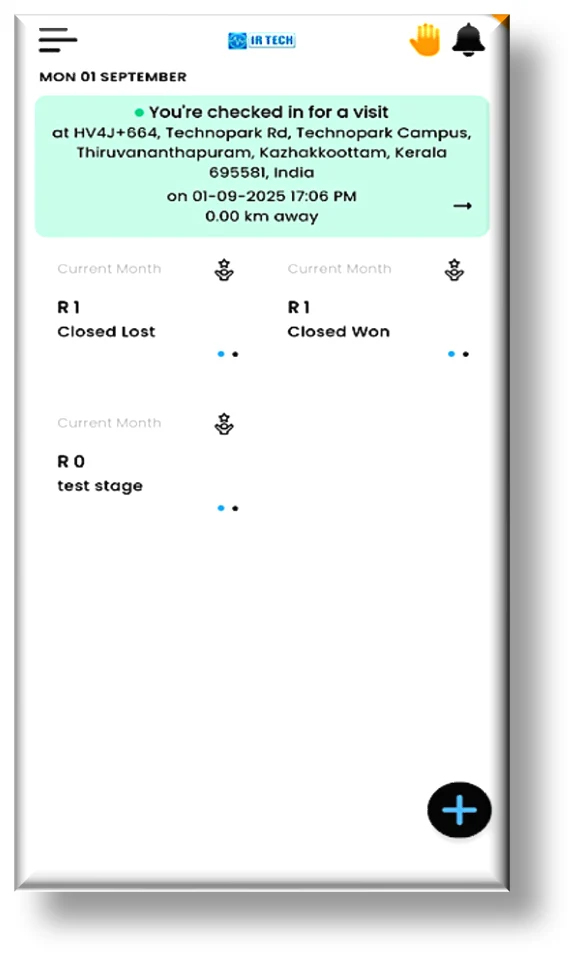
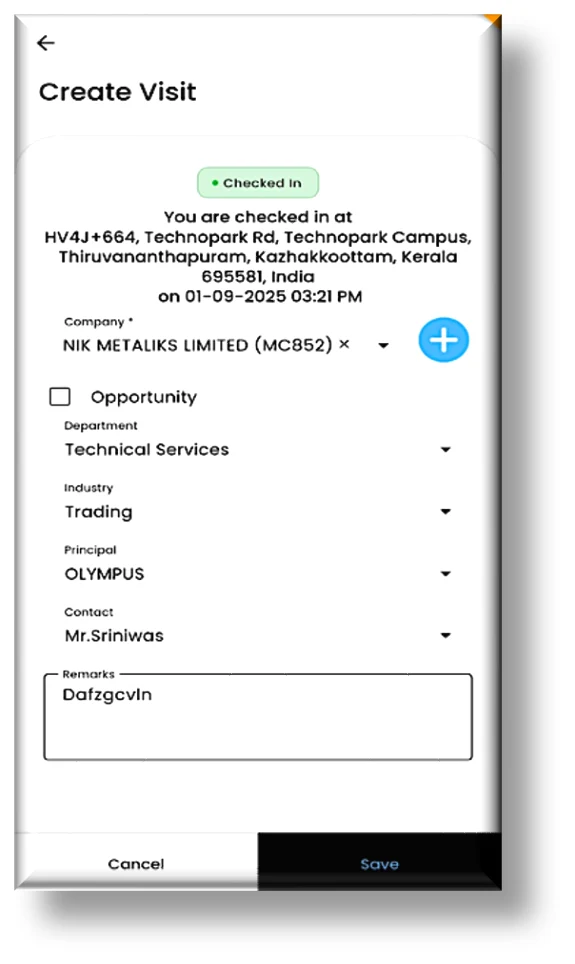
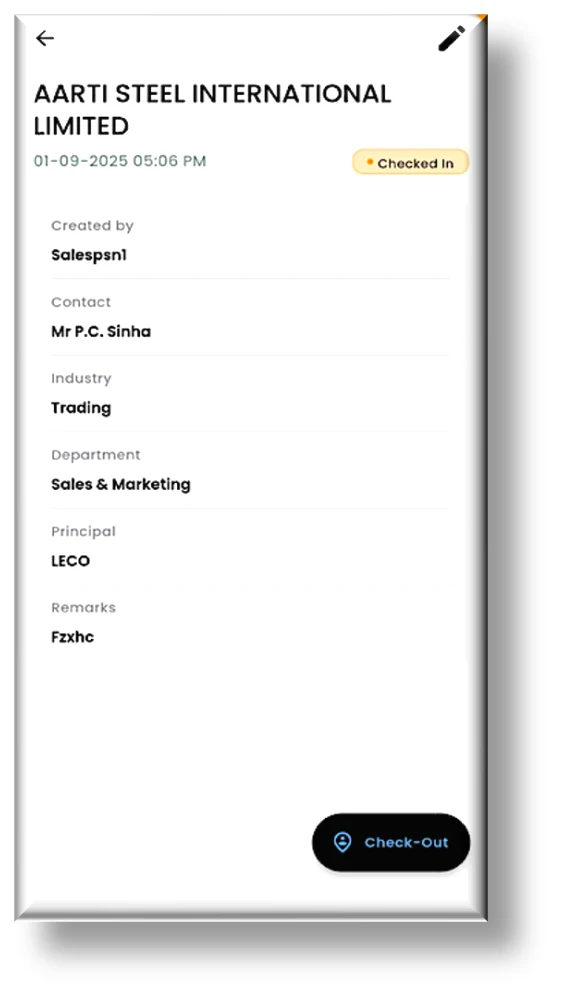
Visit management on the mobile app — create visits and customers, geo-tagged check-in, and full visit detail in the field.
This module has digitized IR Tech’s field visit management, providing real-time visibility, streamlined coordination, and improved accountability across the sales team.
Our Solution – Accounts Management Module (Sales)
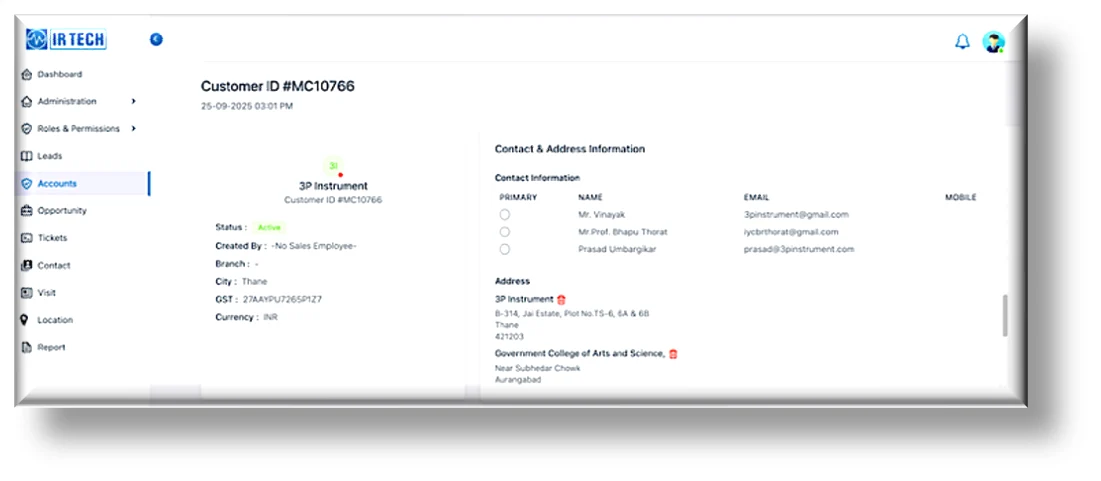
The Accounts Module was developed to provide users with a clear, consolidated view of all customer accounts created and managed through SAP. It ensures that the sales and service teams have instant access to accurate customer information while maintaining centralized data control within SAP.
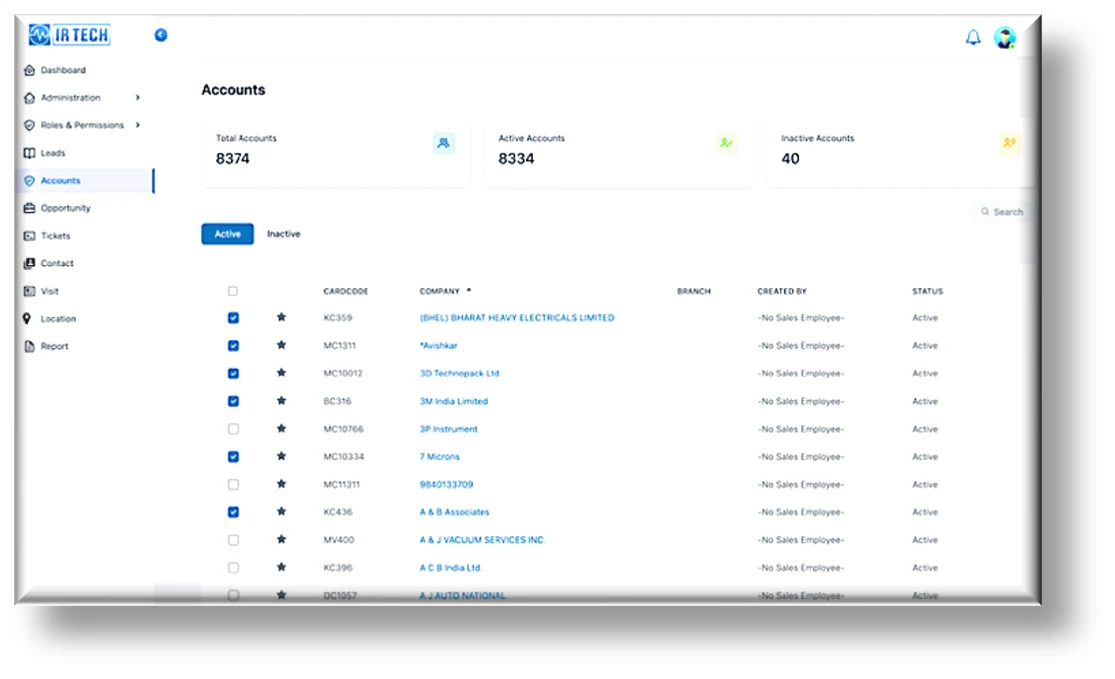
This module is primarily designed for the Sales Department and is accessible to Admins, Sales Managers, Salespersons, and Service Managers. The implementation of the Accounts Module has given users quick and reliable visibility into all customer account data without risking data duplication or manual errors. By centralizing account information within SAP and providing a read-only interface on the web portal, it ensures data consistency, transparency, and easy accessibility for sales and service teams.
Our Solution – Ticket Management Module (Service)
The Ticket Management Module was developed to help the Service Department efficiently report, assign, track, and resolve service requests through a unified digital platform. It replaces manual communication methods such as calls and emails with a structured, role-based workflow that ensures timely resolution, transparency, and accountability across the service team. It anchors IR Tech’s field service management on SAP Business One.
This module is primarily designed for the Service Department and is accessible to Admins, Service Managers, and Service Engineers through both the web portal and mobile application.
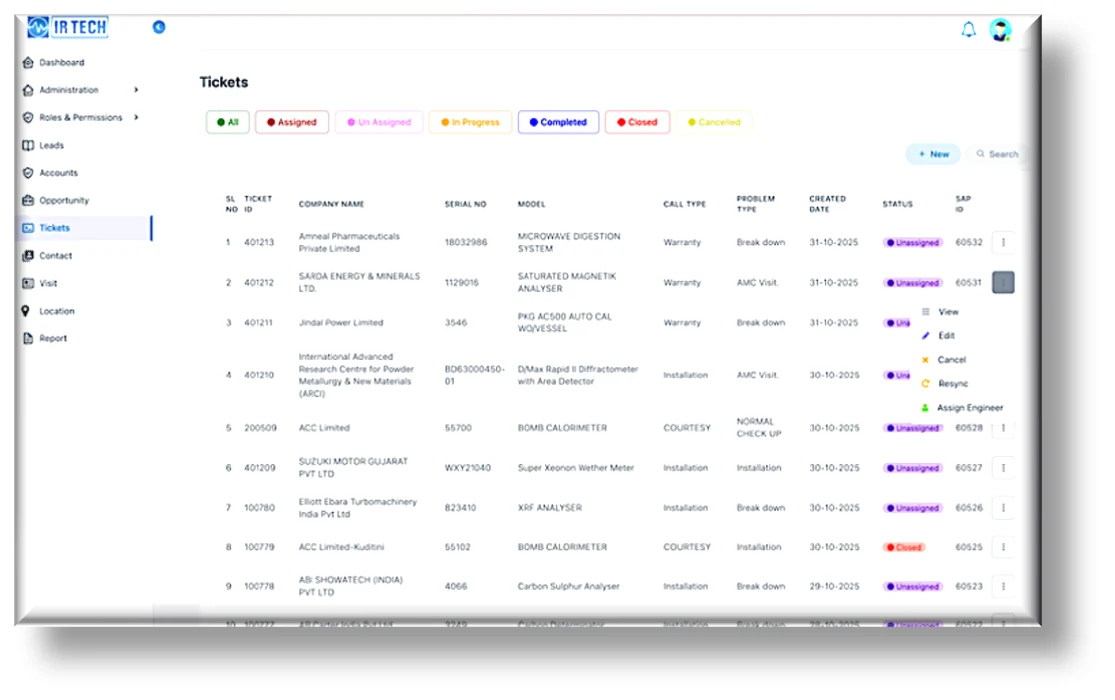
The web portal also features a dedicated Ticket Module, accessible to Service Managers and Admins. It is primarily used to track ticket status, view ticket history, and monitor all related activities. Authorized users can edit or reassign tickets, and sync updates with SAP directly from the portal. This integration ensures that every service ticket and activity is accurately recorded and maintained for future reference.
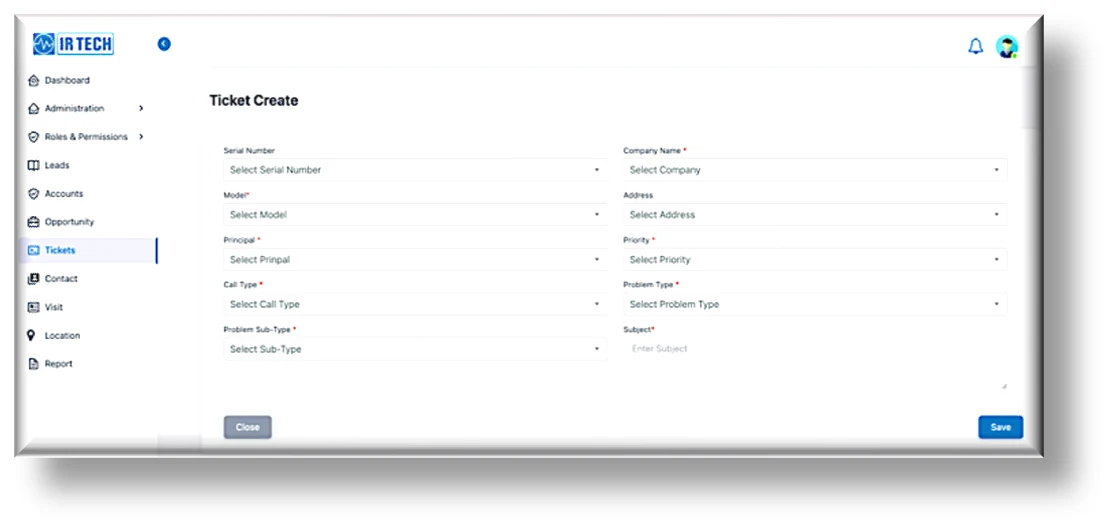
Key Features and Functional Flow
- Ticket Creation: Service Managers, service engineers or any authorized user can create a new ticket directly from the mobile app or from portal. Required details are entered, while certain fields are auto-populated to ensure data accuracy.
- Ticket Categorization & Status Tracking: Newly created tickets appear in the Unassigned list until they are allocated. The module maintains categorized lists such as Unassigned, Assigned, In Progress, and Completed for clear status visibility and tracking.
- Multi-Engineer Assignment: A single ticket can be assigned to multiple service engineers simultaneously. Once assigned, all selected engineers are notified, and their names appear in the assigned ticket details.
- Role Switching: The module includes a “Switch Role” feature that allows users to toggle between Manager and Engineer roles seamlessly, providing quick access to respective functions without logging out.
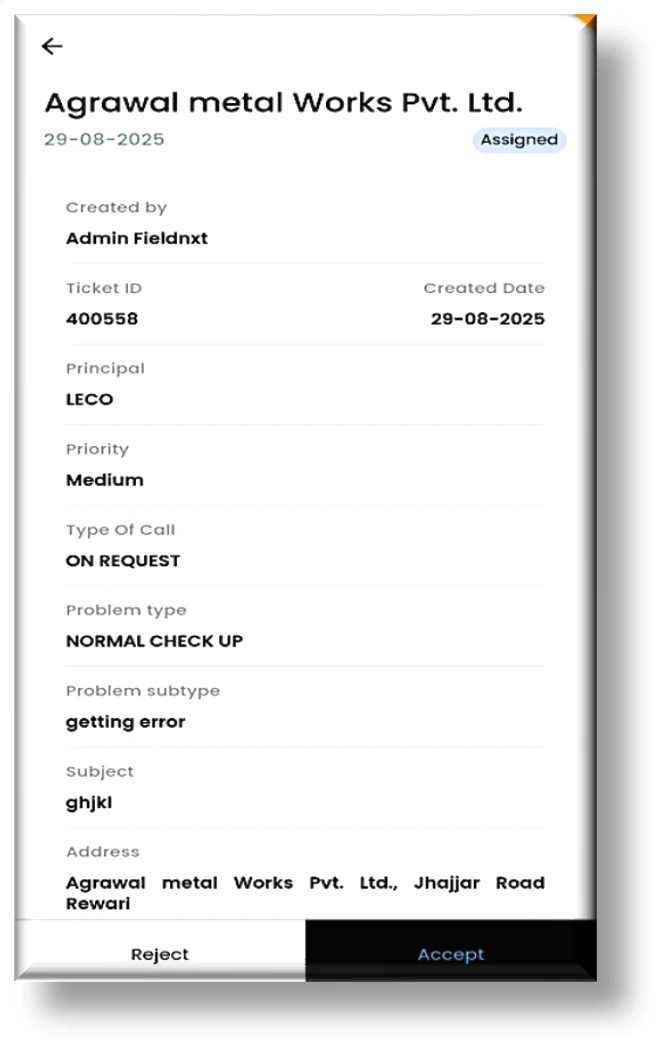
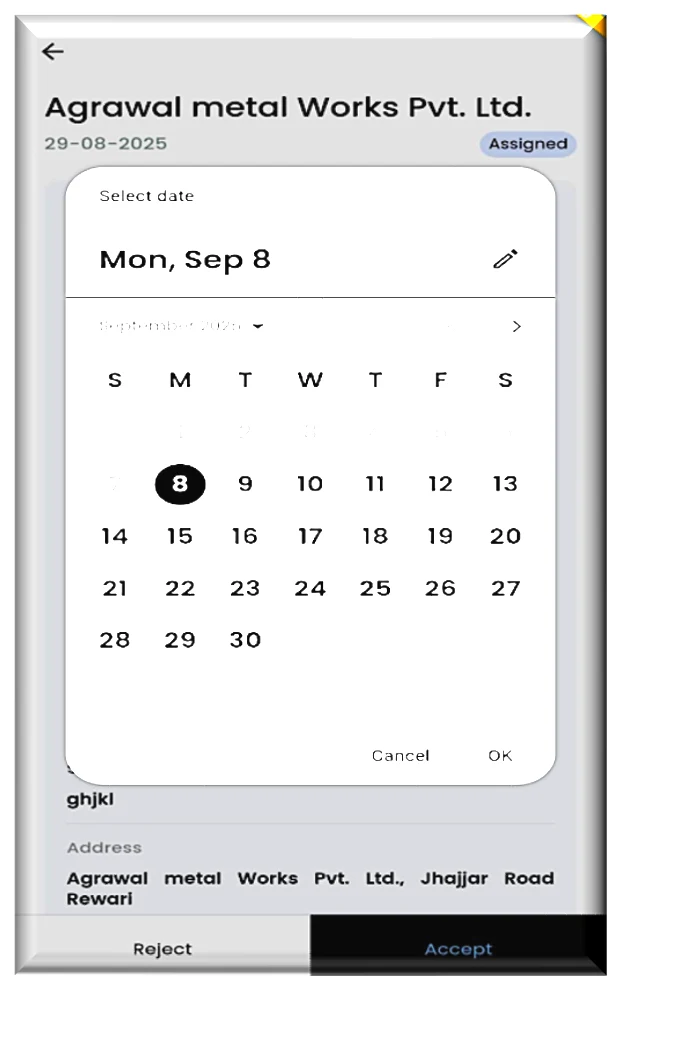
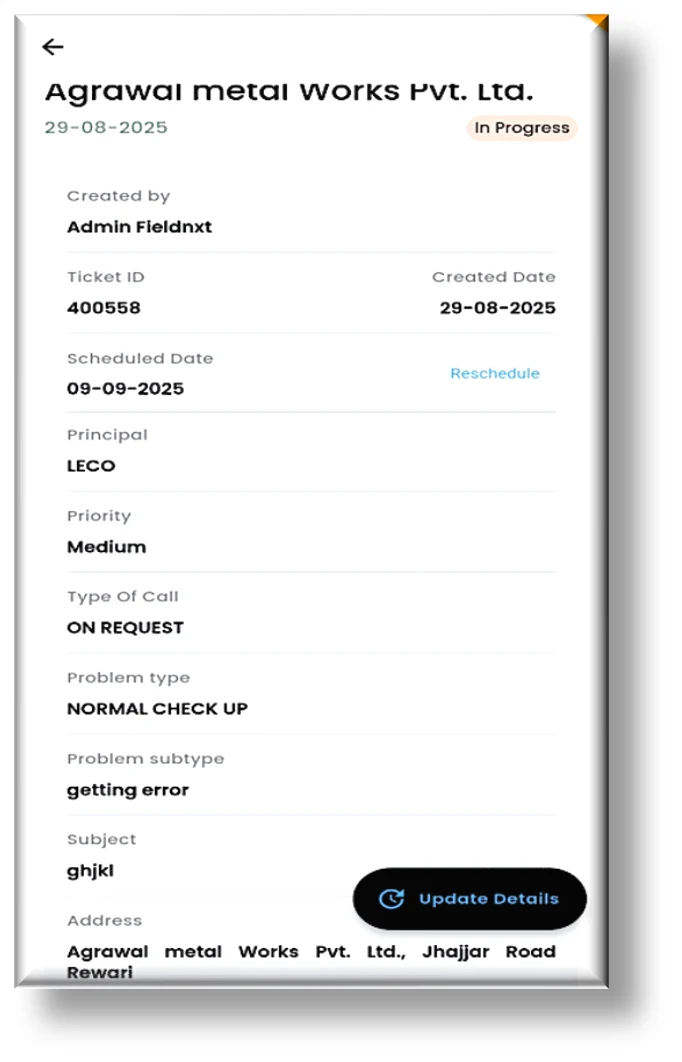
- Ticket Acceptance & Scheduling: Assigned service engineers can accept or reject tickets. Upon acceptance, they schedule a visit date through the in-app calendar, which automatically updates the ticket status to In Progress.
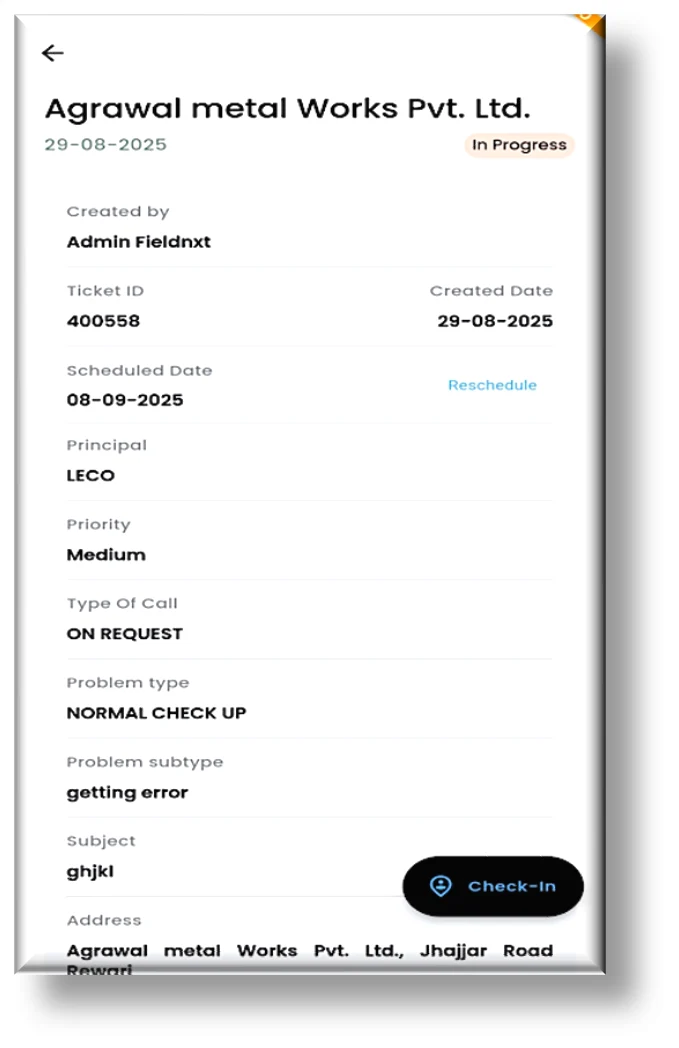
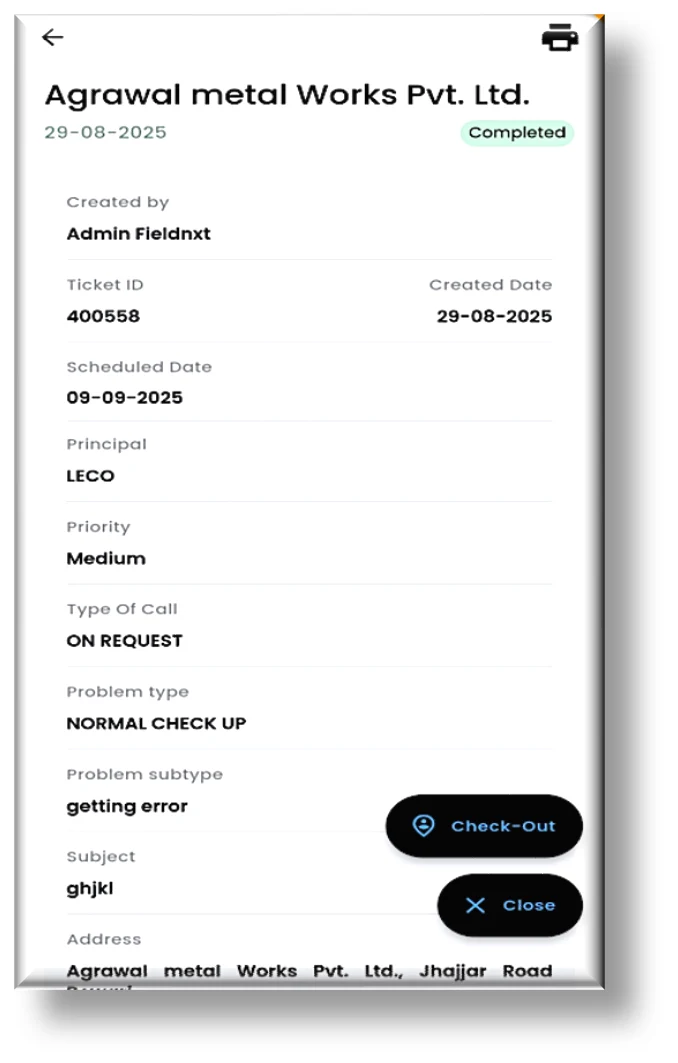
- Check-In / Check-Out: Engineers are required to Check-In upon arrival at the customer site and Check-Out after completing the service. This ensures accurate time tracking and visit validation.
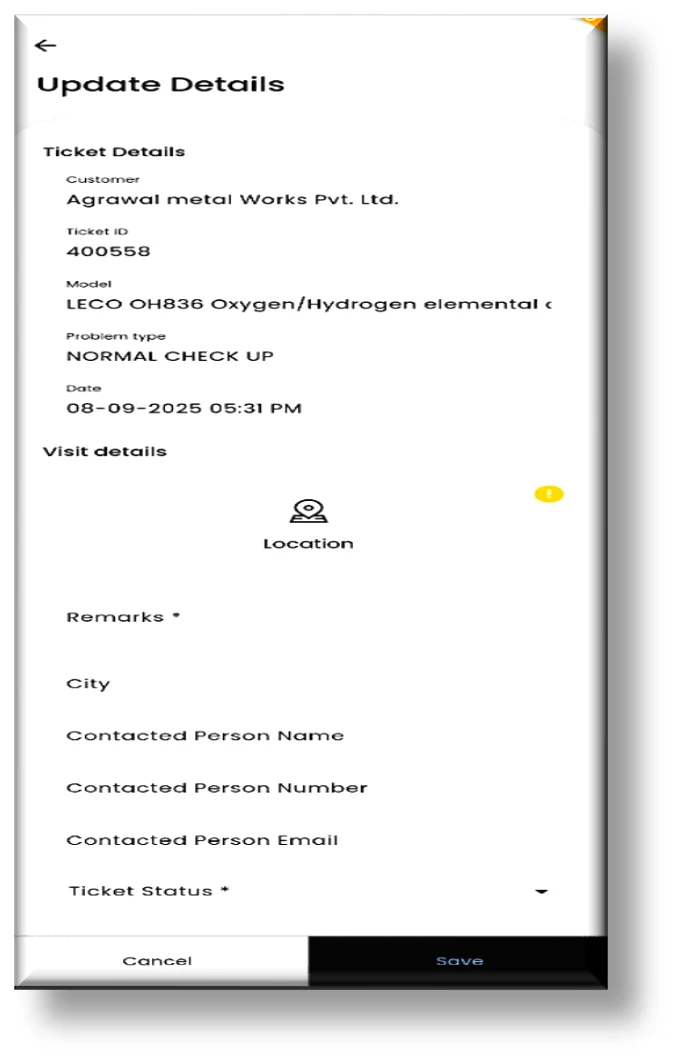
- Service Execution: During the site visit, engineers record all required service details, including observations, corrective actions, and remarks. If further visits are required, the status remains In Progress, and the next visit date is logged.
- Ticket Completion: Once the task is completed, engineers capture the customer’s digital signature, enter remarks, and finalize service details before marking the ticket as Completed. The completed tickets move automatically to the Closed list for future reference.
- Notifications & Alerts: The mobile app provides a dedicated notification panel to alert users about ticket assignments, status updates, or pending actions in real time.
- Service Report Generation: A printable service report can be generated directly from the app, containing detailed service information, actions taken, and customer acknowledgment for documentation and audits.
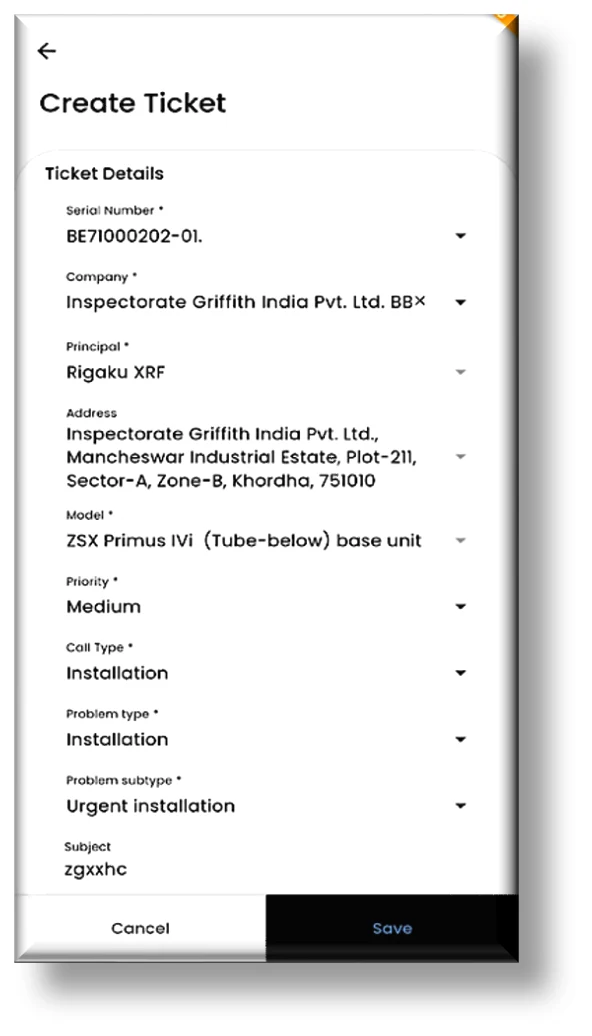
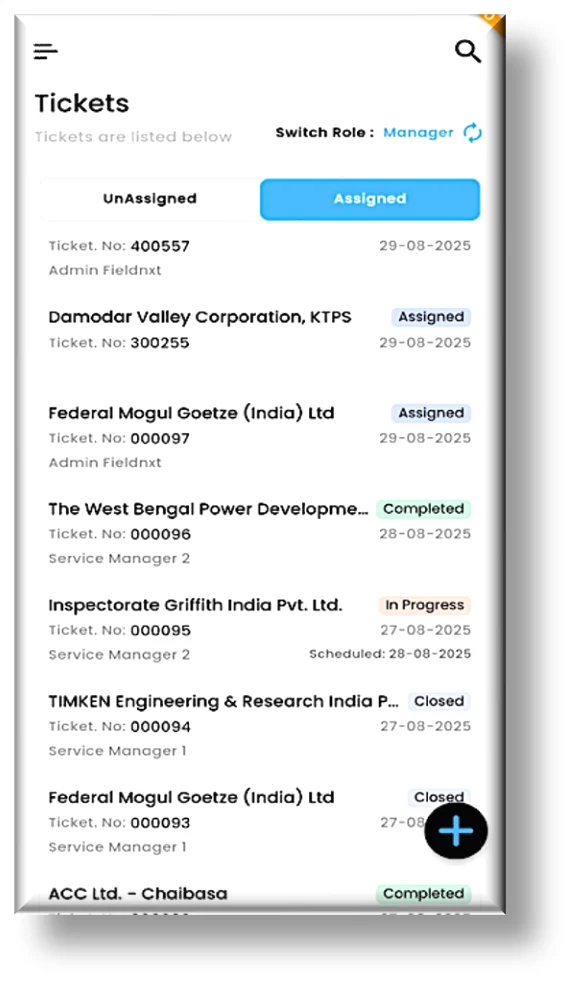
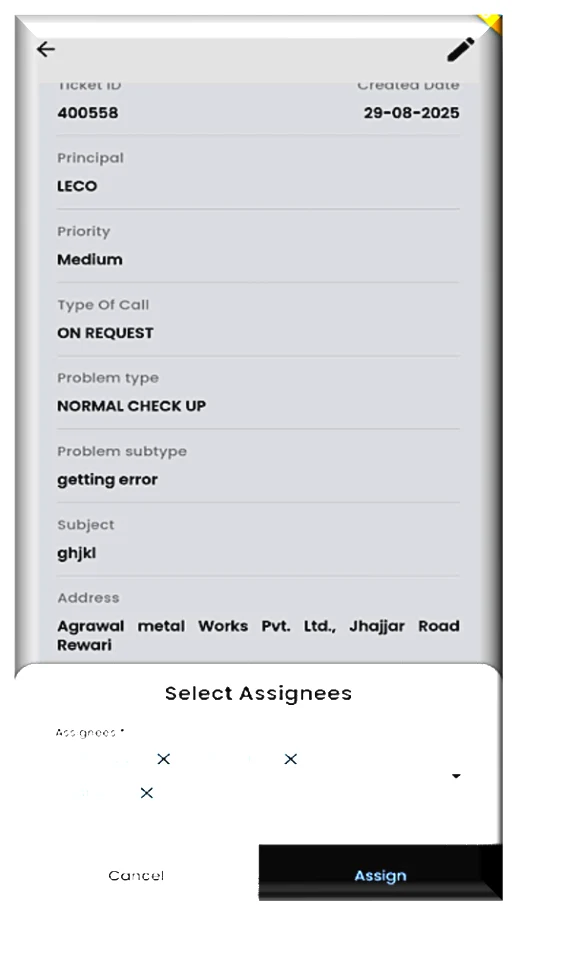
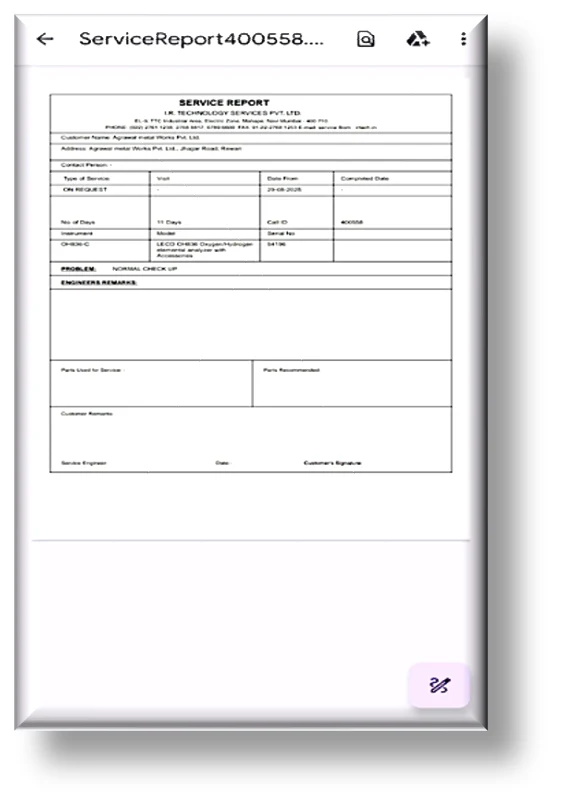
Ticket management on the mobile app — create and assign tickets, switch roles, and generate printable service reports.
Mobile App View – Ticket Execution Flow
The end-to-end ticket execution flow on the mobile app — from ticket acceptance and scheduling, through geo-tagged check-in and service execution, to completion with the customer’s sign-off.
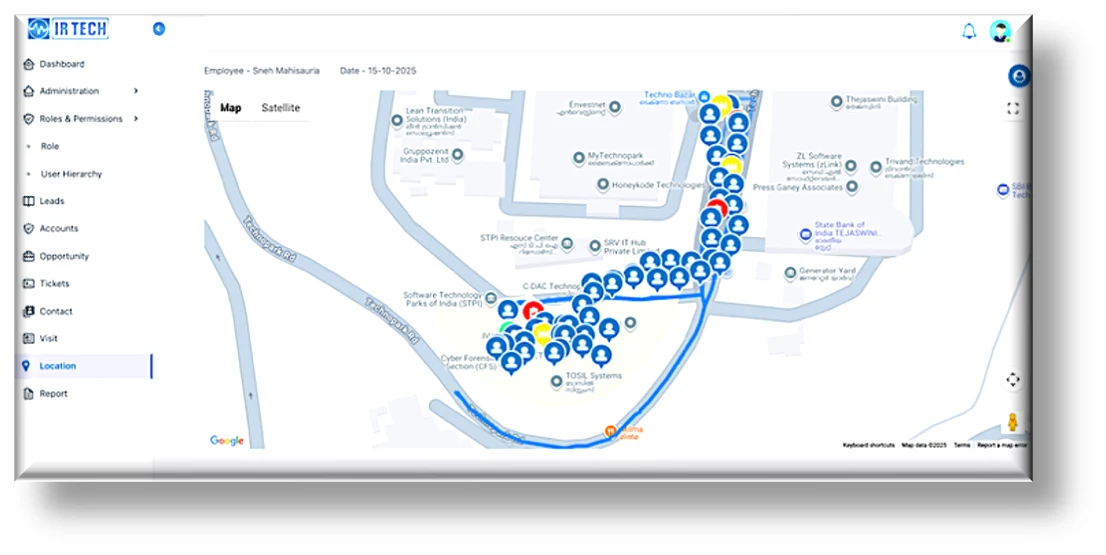
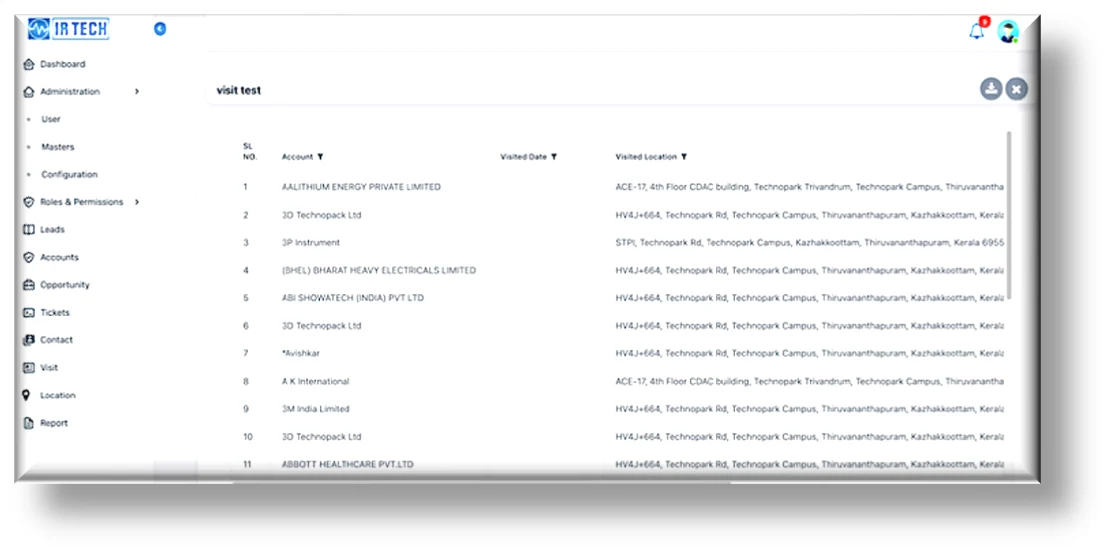
Portal View – Location Tracking and Ticket Execution Report
Our Solution – Service Visit Module
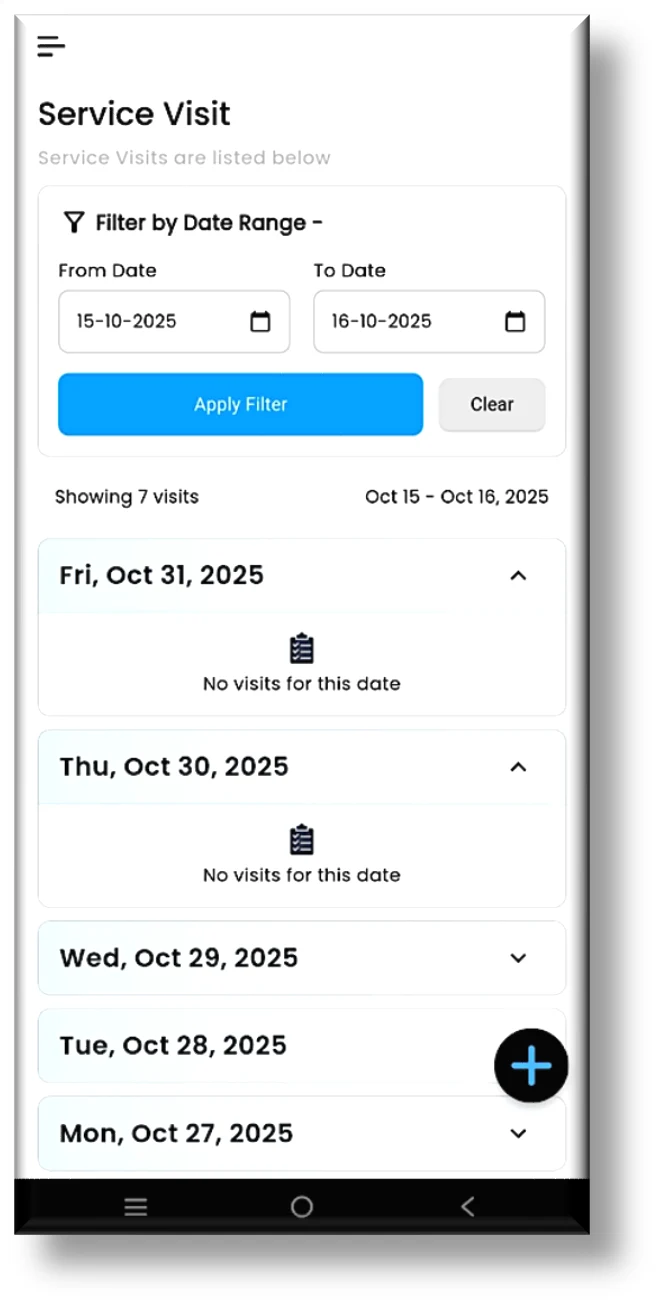
The Service Visit Module was developed to help the service team efficiently track, manage, and analyse service visits through a structured and user-friendly interface. This module ensures accurate recording of visit details, enabling managers and engineers to maintain complete visibility of field operations and service performance.
Key Features and Functional Flow
- Date and Month-Based Tracking: Users can monitor service visits by selecting a specific date or month, allowing them to analyse visit frequency, customer engagement, and service efficiency over time.
- Filter and Sort Options: The module includes a powerful filter function where users can define a custom date range and view relevant visit records instantly.
- Detailed Visit Insights: By clicking on a specific date or record, users can view detailed information about each visit, including check-in time, check-out time, location, and service details.
- Comprehensive View: The module provides a consolidated list of visits for the selected period, allowing managers to oversee field team activity, track punctuality, and ensure accountability.
- User-Friendly Interface: Designed with simplicity and efficiency in mind, the module allows service engineers to manage their daily visits effortlessly, while enabling managers to review all completed and ongoing activities in real time.
Conclusion
We provide a comprehensive digital solution fully integrated with SAP, ensuring seamless data flow between the portal, mobile app, and SAP system. The solution can be developed and customized as per your specific requirements, enabling smooth operations, real-time data connectivity, and enhanced transparency, accuracy, and efficiency across all business functions.
Interested in Solving a Similar Challenge?
If your sales and service teams are still running on spreadsheets and manual workflows, UpBuff’s team would be glad to show you how a unified, SAP Business One-integrated portal and mobile app could work for your business.
SAP Business One Integration • Sales & CRM • Field Service Management • Ticketing • Mobile-First Execution
Related case studies
View all →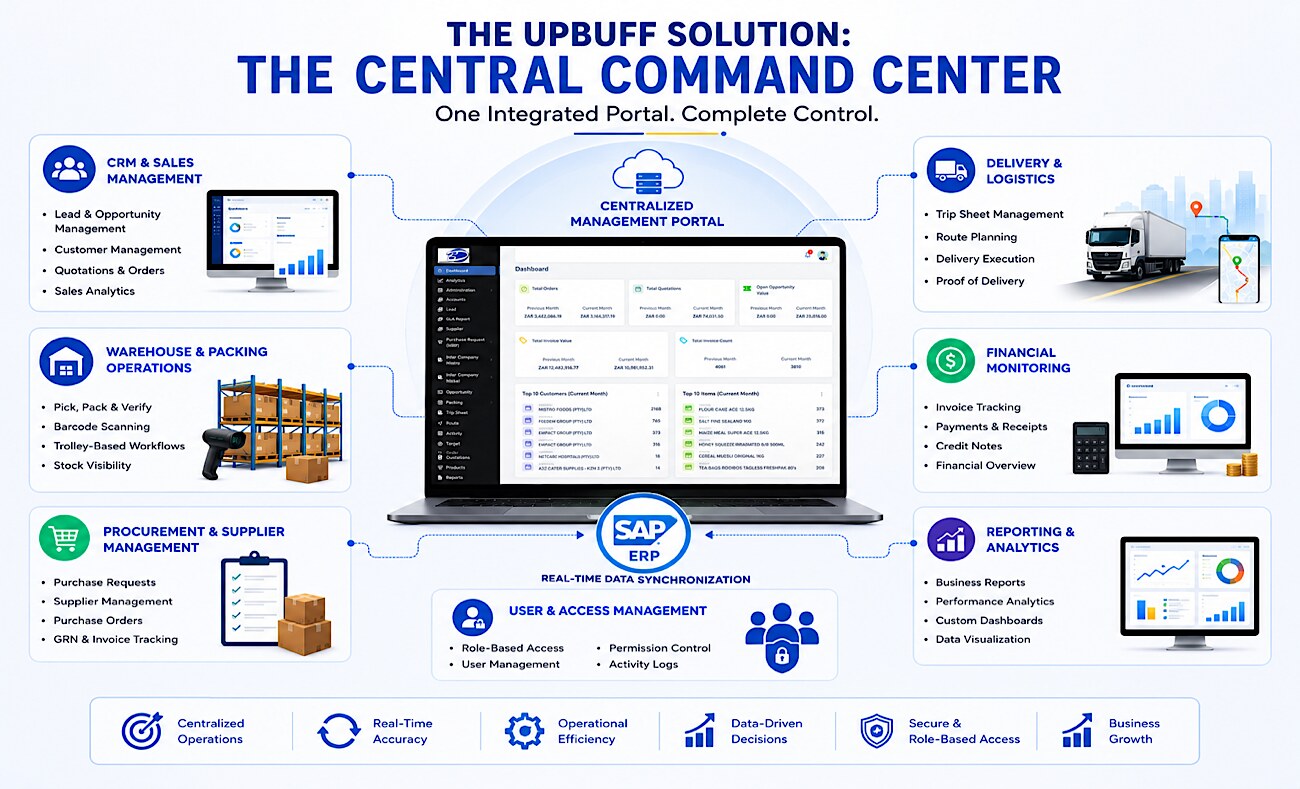 Global Trade & Logistics
 Bethalia Management Portal: Integrated Operations, Warehouse & SAP ERP Solution
How UpBuff unified Bethalia's global trade, warehouse, vansales, logistics, supplier, and intercompany operations into a single SAP ERP-integrated management portal — delivering real-time visibility and centralized control across every entity and field team.
 Food & Beverage
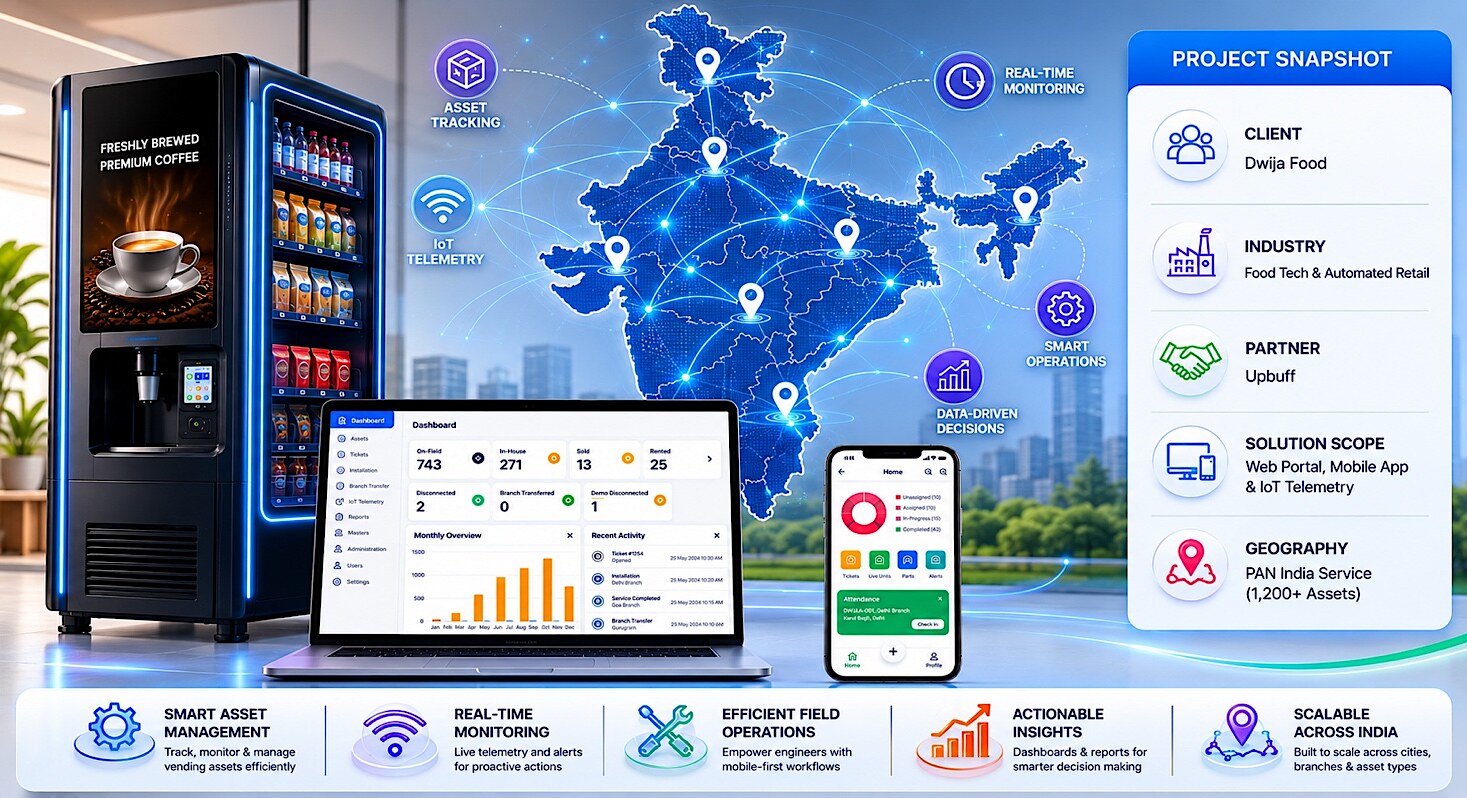
 Digital Transformation of PAN-India Vending Machine Operations for Dwija Food
How UpBuff replaced Dwija Food's fragmented Excel-and-email operations with a centralized IoT cloud portal and a dual-role mobile app — delivering real-time visibility, asset lifecycle tracking, and field-service automation across 1,200+ smart vending machines PAN-India.
 FMCG Distribution
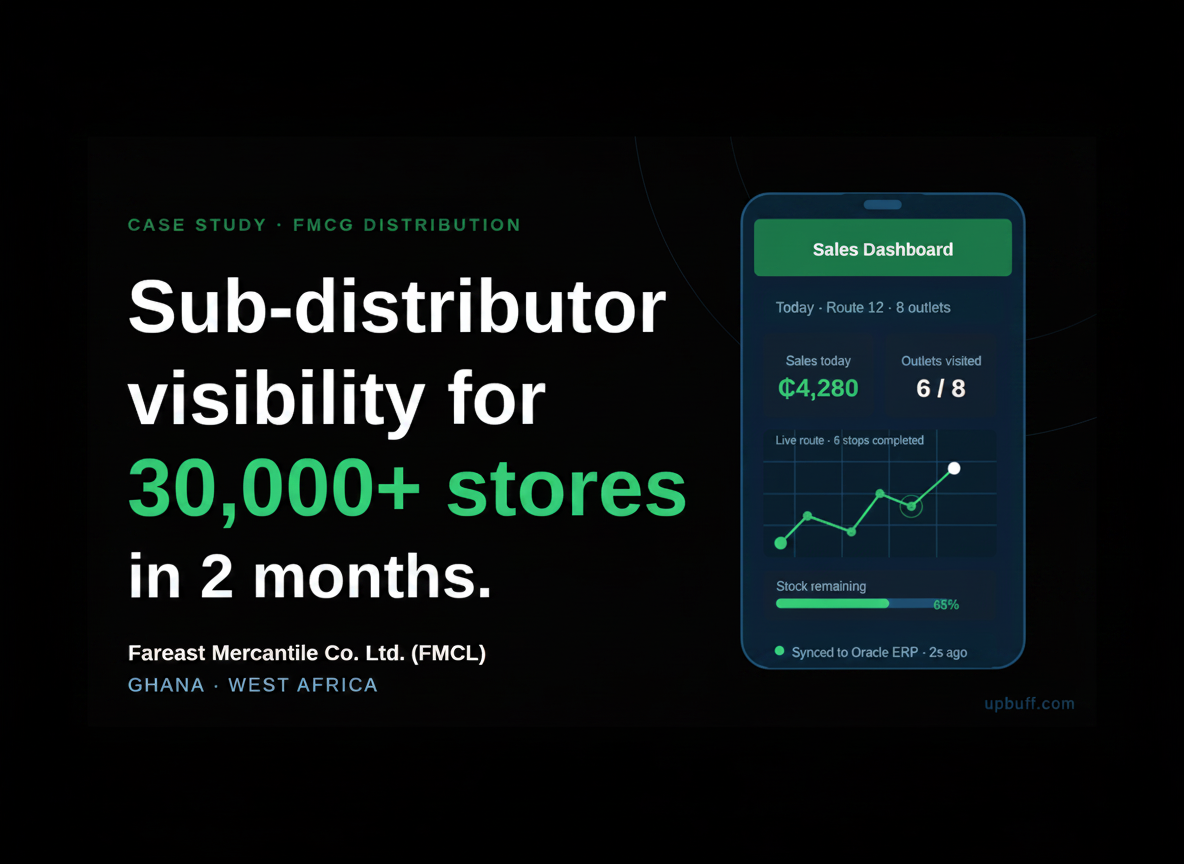
 Building a Multi-Tenant Sub-Distributor Management Solution for 30,000+ Retail Outlets
How FMCL gained complete visibility across its FMCG, FOOD1, FOOD2, and CADBURY business verticals — replacing paper-based sub-distributor billing with a geo-tagged, offline-capable mobile sales platform serving over 30,000 neighborhood stores in Ghana with 70%+ of the SubD network onboarded within 10 weeks of go-live.