
SAP Field Service Management: Why Service Tickets Still Close From the Office — And How to Fix It
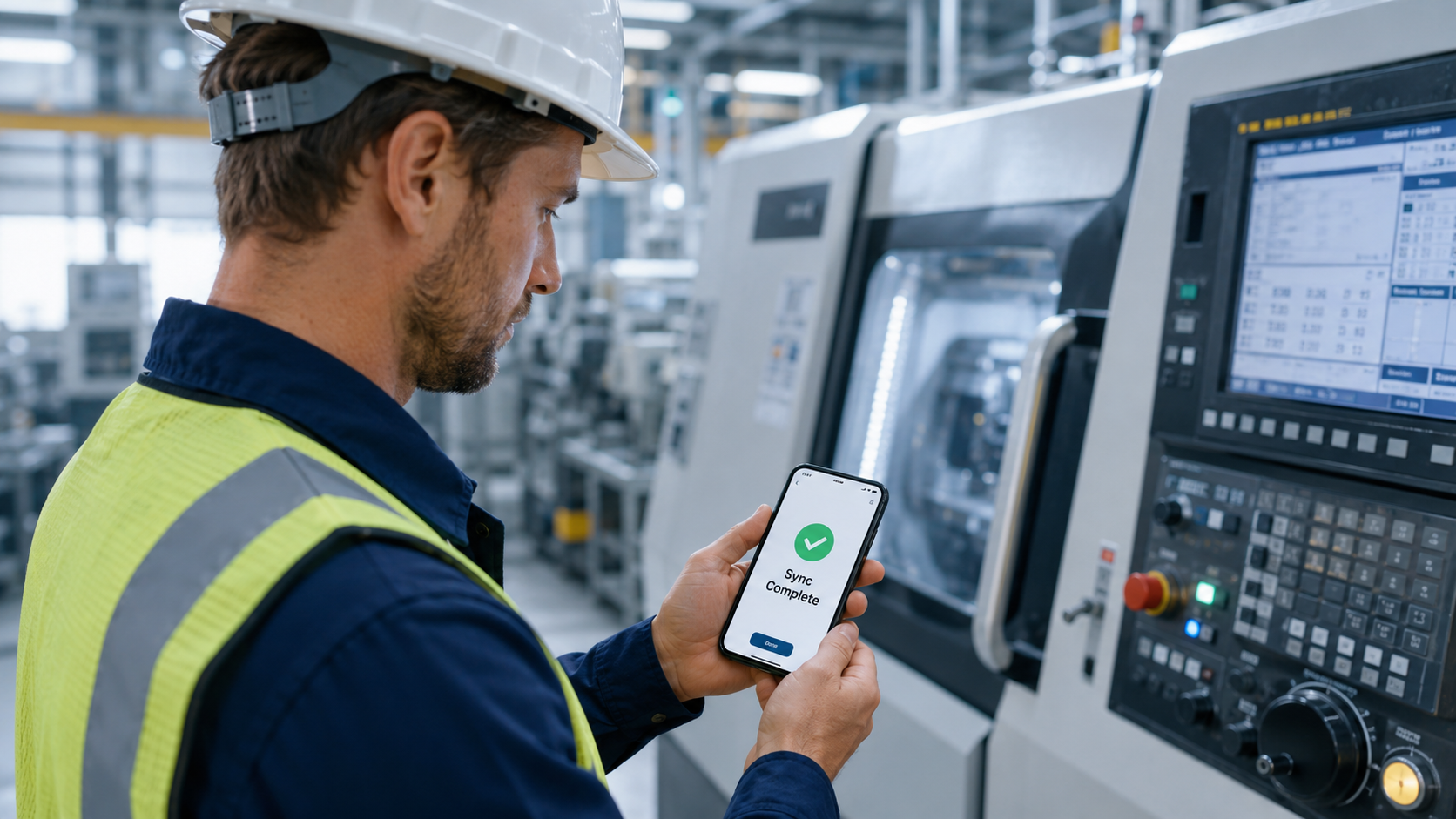
Your ERP has a service module. Your technicians have phones. Yet somehow, every job still closes via a phone call to the office — costing you days on invoicing and accuracy you’ll never get back.
It is 2:47pm.
A field technician has just finished replacing a pressure valve at a customer facility. The job is done. The engineer is satisfied. The spare parts are logged — on a piece of paper in the technician’s pocket.
Now what?
He picks up his phone. Not to log the job into SAP. To send a WhatsApp message to his supervisor:
“Job done at site 4. Valve replaced. Used 2 gaskets from stock.”
The supervisor reads it at 4:30pm, between two other messages. He opens SAP on his desktop, finds the work order, and enters the completion. The spare parts journal update will happen tomorrow, when someone from the stores team comes in.
By the time the work order is officially closed in SAP, it is the next morning. Invoice generation is delayed by 36 hours. The customer’s asset history is incomplete. The spare parts inventory in SAP is wrong for the rest of the day.
This is not a one-off situation. It is the default operating mode for thousands of field service teams across manufacturing, engineering, HVAC, and industrial equipment companies worldwide. And it is costing far more than most service managers realize.
📊 THE SCALE OF THE PROBLEM
Industry research consistently shows that field service teams spend an average of 4.5 hours per technician per week on manual data entry, phone-based job updates, and paperwork. For a team of 20 technicians, that is 90 hours of productive service time lost every single week.
The Root Cause: SAP Business One Wasn’t Built for the Field
Let’s be direct about something that most SAP implementation partners won’t tell you upfront.
SAP Business One — and most enterprise ERP systems — was designed as a back-office system. It is exceptional at financial management, compliance, reporting, and data integrity. It is not designed to be operated by a technician standing under a machine with oil on their hands and no Wi-Fi signal.
The SAP service module requires a desktop browser or a complex mobile configuration. It assumes connectivity. It requires multiple steps to log time, close a job, record parts usage, and capture a customer signature. In a real field environment, none of that is practical.
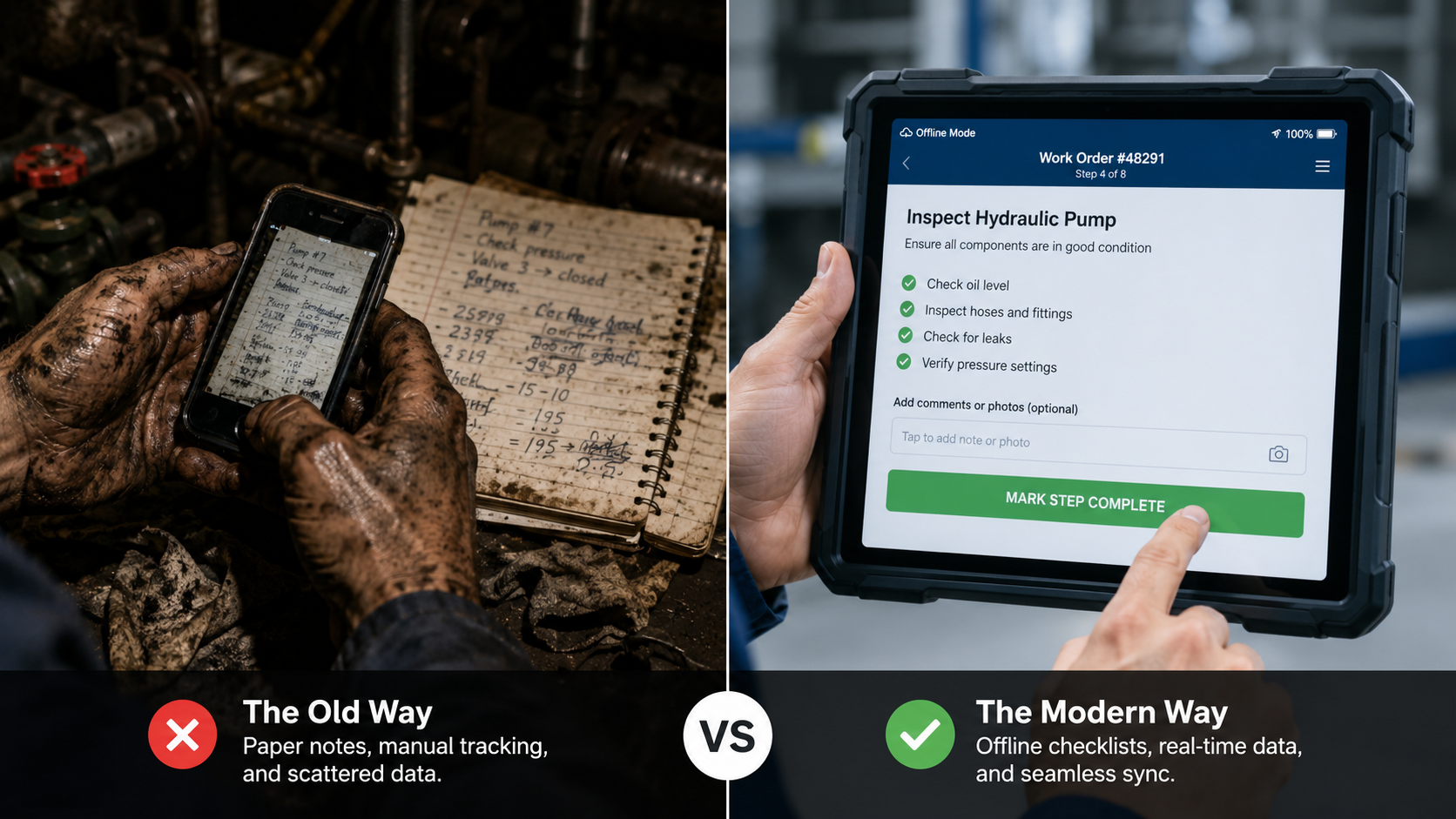
So, technicians do the sensible thing. They use what works: a phone call, a WhatsApp message, or a handwritten form. And the service data — that should be flowing into SAP in real time — ends up in a chat thread that nobody will ever audit.
WHAT IT ACTUALLY LOOKS LIKE
A manufacturing company with 35 service technicians covering industrial equipment across three states. SAP Business One is live. The service module is configured. But 90% of job closures happen via a WhatsApp group called “Technician Updates.”
The service coordinator checks it every 2 hours and manually enters completions into SAP. On a busy day, she falls 6 hours behind. The company’s SLA reporting in SAP is consistently inaccurate — not because SLAs are being breached, but because the data is always delayed.
What This Actually Costs You
Service managers who live with this situation often underestimate the real cost. It feels like a minor inconvenience — a process quirk. It isn’t.
Cost 1 — Invoicing Delay
Every hour between job completion and SAP work order closure is an hour of invoicing delay. For service companies billing on time and materials, a 24–48 hour close lag translates directly to cash flow impact. A company with 300 service jobs per month, averaging ₹15,000 ($180) per invoice, carries ₹45 lakhs ($54,000) in perpetual unbilled work at any given moment simply because work orders are not closed on site.
Cost 2 — Wrong Spare Parts Data
When a technician uses parts in the field and does not log them in SAP immediately, the inventory data is wrong until someone manually corrects it. Your procurement team makes reorder decisions based on incorrect stock levels. Your next technician dispatched to a similar job may be sent without the parts they need — because SAP shows them as available when they were actually consumed 18 hours ago.
Cost 3 — SLA Tracking Becomes Guesswork
Service Level Agreements are tracked against timestamps in SAP. If a job was completed at 2pm but logged at 9am the next day, your SLA report looks fine — even if the actual response was breached. Conversely, if a job was completed quickly but the technician forgot to message, it looks like an SLA breach in the system. Neither is acceptable when a customer asks for a service report.
Cost 4 — Asset History Is Permanently Incomplete
A customer’s asset history — which parts were replaced, when, by whom, with what observations — is only as good as what the technician logs. When that logging happens 18 hours after the job, details are forgotten. Observations that seemed minor at the time get dropped. Patterns that would have predicted the next failure go unnoticed. Predictive maintenance becomes impossible.
| 36hrs | 25% | 4.5hrs per week |
|---|---|---|
| avg from job completion to SAP invoice — based on UpBuff customer observations across manual field service processes | of jobs have spare parts logged incorrectly due to delayed entry — based on UpBuff customer observations across field service teams | lost per technician to manual updates and data entry |
Why the Usual Fixes Don’t Work
Most companies try one of these three approaches. None of them solve the problem.
“We’ll train the team to use SAP mobile.”
SAP mobile requires a stable internet connection. Field sites — factories, remote installations, basements, rooftops — often don’t have one. A single sync failure during a job closure teaches technicians never to trust the system again. Training doesn’t fix a tool that fails at the wrong moment.
“We hired a coordinator to manage the updates.”
A coordinator is a human workaround for a system gap. As the team grows, you need more coordinators. The data lag doesn’t go away — it just becomes someone’s full-time job to manage it. And that person becomes a single point of failure every time they’re sick or on leave.
“We’ll customize SAP to build a mobile interface.”
Custom SAP development is expensive, takes months, and creates code inside the ERP core that has to be maintained, tested, and potentially rebuilt every time SAP releases an update. It is the opposite of what SAP’s Clean Core strategy recommends — and it creates technical debt that compounds with every upgrade.
The Real Solution: A Mobile Execution Layer for Field Service
What field technicians need is not SAP on a phone. It is a purpose-built mobile app that is designed for how field work actually happens — offline-capable, simple enough to use in two minutes, and connected to SAP so that every action flows back to the ERP automatically.
That is exactly what an ERP-integrated Field Service Management execution layer does.
💡 THE PRINCIPLE
The key principle is this: the technician should never need to think about SAP. They tap through a simple mobile workflow — arrive, start, complete checklist, log parts, capture signature, close. SAP is updated in real time behind the scenes. The technician has done their job. The office has their data. Nobody made a phone call.
What This Looks Like with UpBuff FSM
UpBuff’s ERP-Integrated Field Service Management module is built specifically for teams running SAP Business One, SAP S/4HANA, Oracle, and Epicor. Here is what the workflow looks like for a field technician from dispatch to invoice:
01. Technician Receives Job on Mobile — With Full Context
The moment a service call is created in SAP, the assigned technician gets a notification on their UpBuff mobile app. Job details, customer asset history, previous visit notes, required spare parts, and the site checklist are all available offline. No coordination call is required.
02. Technician Works Offline — Everything Is Captured
No Wi-Fi at the site? No problem. UpBuff operates fully offline. The technician logs travel time, start time, work done, parts used, and observations — all on the mobile app. Nothing is lost if connectivity drops mid-job.
03. Checklist and Parts Are Logged in Real Time
As the technician completes each step of the service checklist, it is recorded with a timestamp. Spare parts consumed are logged against the SAP inventory — reducing stock levels accurately, the moment they are used, not the next morning.
04. Customer Signs Digitally — On Site
When the job is complete, the technician presents the customer with a digital service report on their phone or tablet. The customer signs digitally, on site. This becomes the service completion proof — automatically attached to the service call in SAP.
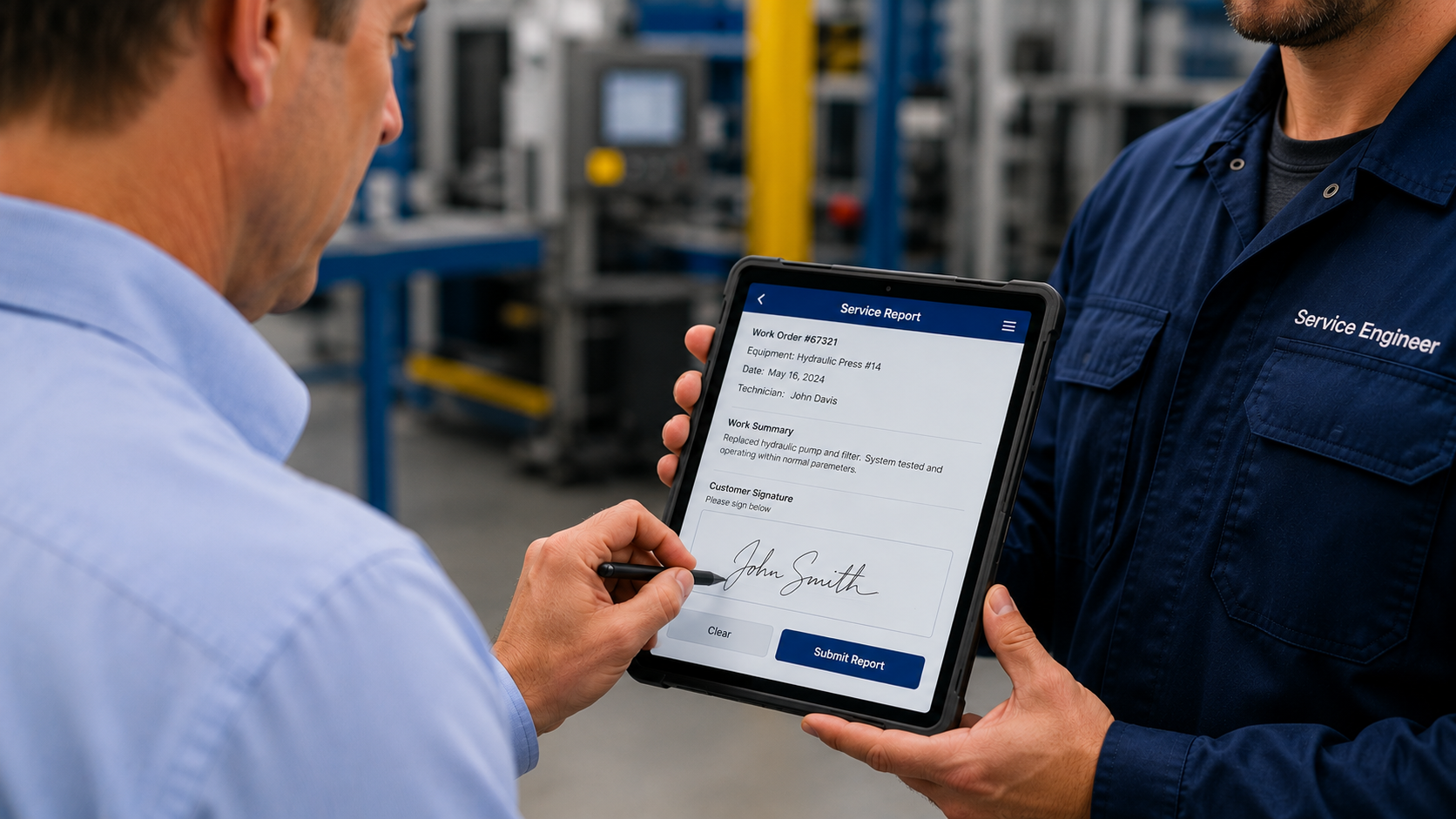
05. Work Order Closes in SAP — Automatically
When the technician taps Close Job, the UpBuff app syncs with SAP. The service ticket status updates, parts inventory adjusts, labour time posts, and the job is marked complete — all without the coordinator touching the keyboard. Invoice generation can begin the same day.
Before and After: The Same Job, Two Very Different Outcomes
| Workflow | Without Mobile FSM | With UpBuff FSM |
|---|---|---|
| Job notification | Service coordinator calls technician. Technician writes on notepad. | Instant push notification with full job context, asset history, and checklist. |
| Service execution | Technician works, logs observations mentally or on paper. | Step-by-step mobile checklist captured with timestamps. Offline. |
| Parts logging | Technician notes parts used on paper. Logged next day. | Parts tapped on mobile. SAP inventory updates instantly. |
| Job closure | Technician calls supervisor. Supervisor logs in SAP. 2–24hr delay. | Technician taps Close. SAP work order auto-closes. Zero delay. |
| Customer signature | Paper form. Lost, blurry, or never filed. | Digital signature on mobile. Auto-attached to SAP work order. |
| Invoice generation | 36–48 hours after job completion. | Same day. Service call is already closed and complete in SAP. |
| SLA tracking | Based on when coordinator entered the data. Inaccurate. | Based on actual timestamps from mobile. Accurate and auditable. |
| Asset history | Incomplete. Details forgotten between job and data entry. | Complete. Every observation logged at the moment it was made. |
What Service Teams Typically See in the First 90 Days
⚡ Same-Day Invoicing Becomes the Norm
When service calls close on site, finance can raise invoices the same day. For service businesses billing ₹30–50 lakhs per month in field service, this is a significant cash flow improvement with zero change to the billing process itself.
📦 Spare Parts Accuracy Finally Matches Physical Stock
Because spare parts are logged at the moment of use, not hours later, inventory discrepancies shrink dramatically. Procurement decisions improve. Emergency stock-outs from unrecorded consumption drop to near zero.
📋 SLA Reports Become Trustworthy
When job close timestamps come from the technician’s mobile app rather than the coordinator’s keyboard, SLA data is accurate. Teams can stop second-guessing their own reports — and present customer SLA dashboards with confidence.
🔧 Technicians Spend Their Time on Service, Not Admin
The average technician recovers 3–5 hours per week that was previously spent on phone calls, form filling, and chasing coordinators. That time goes back to service jobs. For a team of 20 technicians, that is 60–100 hours per week of recovered productive capacity.
🏭 Management Gets Real-Time Visibility Without Chasing It
Service managers can see open jobs, jobs in progress, completed jobs, and jobs with pending signature — all in real time on a dashboard. No morning meeting to find out what happened yesterday. No coordinator report to wait for.

🔒 SAP CLEAN CORE COMPLIANT
Important for SAP customers: UpBuff integrates with SAP Business One via the Service Layer and DI API — standard integration points that SAP publishes for external systems. Nothing is written inside the SAP core. Your ERP remains upgrade-ready and fully Clean Core compliant. When SAP releases a new version, UpBuff keeps running — no rework, no project.
The Bottom Line
Your field technicians are not closing service tickets from the customer site because the tools available to them make it impractical. Not because they are unwilling. Not because they need more training.
The fix is a mobile-first execution layer that works the way field work actually works — offline, simple, fast — and connects to SAP so every action lands in the right place, instantly.
When that is in place, the WhatsApp group goes quiet. The coordinator starts doing higher-value work. The invoices go out the same day. And your SAP data — finally — reflects reality.
See how it looks for your team — live, on your SAP data
Book a 30-minute demo. We’ll show you a field technician closing a service ticket on mobile, with the work order auto-posted to SAP Business One — in real time, offline-capable, no ERP changes. You’ll see the whole workflow in under 15 minutes.
Frequently Asked Questions
Q1. We have SAP Business One with the service module live. Why are our technicians still closing jobs on WhatsApp?
SAP’s service module was built for a back-office desktop — not for a technician standing under a machine with no Wi-Fi signal. It requires stable connectivity, multiple login steps, and a workflow that simply does not work in a real field environment. So technicians default to what works: a phone call or a WhatsApp message. The answer is not more SAP training. It is a mobile app designed specifically for how field work actually happens — offline, fast, and connected to SAP automatically.
Q2. What is the real cost of having a coordinator manually enter job closures into SAP?
The cost is the gap — the 6 to 36 hours between when the job is done and when it appears in SAP. During that gap, your invoices are sitting unraised, your spare parts inventory is showing stock that was consumed hours ago, your SLA timestamps are inaccurate, and your asset history is being written from memory. A coordinator does not close that gap. They manage it. And as your team grows, the gap grows with it.
Q3. Our SLA reports in SAP show we are hitting targets. Can we trust that data?
Only if service tickets are being closed by the technician at the exact moment the job is done on site. If your coordinator is entering completions hours later, your SLA data reflects when the data was typed — not when the job was finished. A job completed at 2pm but logged at 9am the next day looks like a clean SLA pass. A job finished quickly but not yet reported looks like a breach. Your reports are telling you a story. The question is whether it is the right one.
Q4. We tried customizing SAP to build a mobile interface. It failed. Why does that keep happening?
Because custom SAP development writes code inside your ERP core — code that has to be maintained, tested, and often rebuilt from scratch with every SAP upgrade. It is expensive, takes months, and directly contradicts SAP’s own Clean Core strategy. Most custom mobile builds get abandoned after the first major SAP version update, and teams go back to WhatsApp. The right approach is a purpose-built FSM app that connects to SAP via the standard Service Layer and DI API — nothing inside the core, no rework when SAP updates.
Q5. What happens to job data if a field technician loses signal in the middle of a job?
Nothing is lost. A proper offline-capable FSM app captures everything locally on the device — travel time, start time, checklist steps, parts used, customer signature — without needing a live connection. The moment signal is restored, everything syncs to SAP automatically. One dropped signal at a remote site or a factory basement should not be enough to make your team distrust the system. With UpBuff, it is not.
Q6. How quickly will we actually see same-day invoicing after going live?
Most teams see it within the first week. When a technician taps Close Job on the mobile app, the service ticket in SAP closes instantly — parts inventory adjusts, labour time posts, and the job is marked complete without the coordinator touching the keyboard. Finance can raise the invoice the same day. For teams currently sitting on 36 hours of invoicing delay per job, this is usually the first thing they notice — and the first number they take to their CFO.
About UpBuff
UpBuff is an ERP Execution Platform that extends SAP Business One, SAP S/4HANA, Oracle, and Epicor into real-time field sales, warehouse, field service, and manufacturing operations — without modifying your ERP core.
Related posts
View all posts » ERP Operations
 Touchless Order Processing for SAP Distributors: A Practical Guide
Distributors live or die on order speed and accuracy. Here's how touchless order processing turns the flood of email, PDF, and WhatsApp POs into posted SAP Sales Orders — without growing your order desk.
 ERP Operations
 How to Automate Sales Order Creation in SAP Business One
Still keying customer POs into SAP B1 by hand? Here are the practical ways to automate sales order creation in SAP Business One — from native tools to AI-driven, touchless PO-to-SO automation.
 ERP Operations
 AI PO-to-SO Automation vs. Manual Order Entry vs. EDI: Which Wins?
A clear, side-by-side comparison of the three ways to turn purchase orders into SAP Sales Orders — manual entry, EDI, and AI PO-to-SO automation — with a simple framework for choosing the right one.